
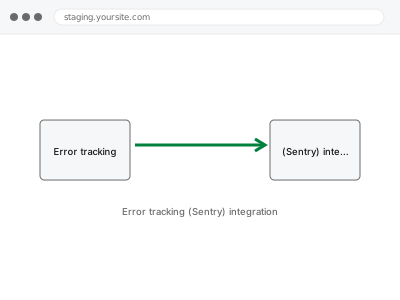
We integrate Sentry (or a similar error tracking service) with your site so application errors are captured with useful context — the specific code path, the user’s browser, what led up to it — and routed to wherever your team actually reviews them, through your own Sentry account rather than one we hold on your behalf.
Error tracking (Sentry) integration
Error tracking wired up with real context — reviewing what it catches stays with your team.
- Full backup taken before we start
- If we can’t fix it, you get your money back
- We never ask for your own password
What we need from you
- A Sentry account (or your chosen equivalent error tracking service), or confirmation you’d like a recommendation
- Confirmation of where errors should be routed for review (email, Slack, a dashboard your team checks)
- Confirmation of your site’s specific technology so the integration is configured correctly
This or something else?
| You want application error tracking integrated with your site, capturing errors with useful context | This fix covers it |
| You want general uptime monitoring, not application-level error tracking | Uptime & monitoring service configuration, a different, complementary kind of monitoring |
| You have a specific, known error you want fixed, not monitoring set up | The relevant specific diagnostic fix instead, once the error is identified |
| You want errors routed to Slack specifically as the review destination | Slack / Teams notification routing setup, worth pairing with this |
What we do
- Confirm your chosen error tracking service account
- Integrate the tracking SDK correctly with your site’s technology
- Configure error capture to include useful, actionable context
- Set up routing to your specified review destination
- Test with a deliberately triggered error to confirm capture and routing work correctly
- Document the configuration for future reference
What is included
- Error tracking integrated with useful, contextual capture
- Routing configured to your specified review destination
- Tested confirmation using a deliberately triggered error
- A written note on the configuration
Not included
- Paying for or managing the error tracking service’s subscription, which remains yours directly with the provider
- Fixing the errors the service captures — a separate, related fix once specific errors are identified
- Ongoing review of captured errors as a standing service — that responsibility stays with your team unless separately arranged
- Uptime monitoring, a separate, complementary kind of service
Questions about this fix
Will you review the errors this captures and fix them for me?
Not automatically as part of this integration — this sets up the capture and routing so errors are visible to your team; reviewing and fixing specific errors found is a separate, related engagement once you know what's actually being captured.
Who is responsible for actually watching for these error alerts long-term?
Whoever you designate on your team — we configure the routing, but ongoing review and response is something you manage directly, since that's an operational responsibility rather than something built into a one-time integration.
Will this slow down my site by tracking every error?
Error tracking SDKs are generally lightweight and designed for production use, though any added script has some minor impact, which we account for in a sensible, standard configuration.
What if my error volume exceeds my plan's free tier?
We'd flag this if volume approaches a free tier's limit — upgrading to a paid tier is a decision between you and the service provider, not something we manage on your behalf.
Can this help identify errors affecting only some visitors, not everyone?
Yes, that's specifically one of the strengths of this kind of tracking — capturing context like browser, device, and user actions helps identify patterns in errors that wouldn't otherwise be obvious from an aggregate view.
Related fixes
If this is the second time this year
A bad update breaking the site is a symptom of updates not being tested first. Care plans run every update on a staging clone before it reaches your live site, which is the actual fix for this happening again.
Your access, your rules
Create a separate admin account for us and delete it when we are done. For anything else, we get in touch and agree a method — never a form field on this site, never by reply to an email.
We back up first, always
Before anything is touched we take a full backup and keep it for 30 days. If a fix goes wrong, we put the site back exactly as it was.
If it is not what you bought
If the problem turns out smaller than what you ordered, we refund the difference. If it is bigger, we stop and send a quote before doing any extra work.
If we cannot fix it
You get back what we received. Diagnosis is on us — you only pay when the problem is actually solved. The payment processor takes its fee before the money reaches us, so we never hold it and it is not ours to return. That is true here as everywhere else.
If it comes back
Reply within seven days of delivery and we put it back on the bench at no cost. The fix is not finished until it holds.
What we are responsible for
If something goes wrong with a fix, our responsibility is limited to what you paid for it. We take a full backup first so mistakes can be undone, and we tell you before doing anything outside what you bought.