
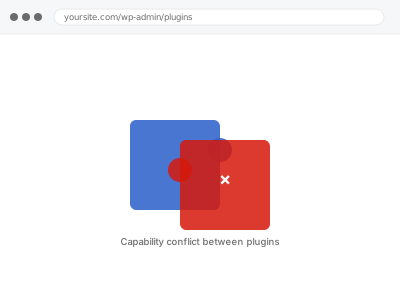
When two plugins each try to define what a role can and can’t do, whichever one runs last during that process usually wins — silently overwriting the other’s intent, with no warning to you that a conflict even happened. The result looks like a random, inconsistent capability problem until you know to look for two competing sources.
Deactivate one plugin at a time to isolate which is overwriting the role
With a staging copy or during low-traffic hours, deactivate one of the suspected plugins and check whether the role’s capabilities return to expected. Reactivate it and test the other plugin the same way. Whichever deactivation restores correct behaviour points directly at the conflicting plugin, rather than guessing from documentation alone.
Capability conflict between plugins
Two plugins silently overwriting the same role's capabilities, isolated and resolved.
- Full backup taken before we start
- If we can’t fix it, you get your money back
- We never ask for your own password
This or something else?
| Two specific plugins each modify the same role and seem to be overwriting each other | This fix covers it |
| A single role simply isn’t granting expected capabilities, with no known conflicting plugin | User role & capability repair, the more general version |
| You want a new role created that avoids this conflict entirely, going forward | Custom role creation from supplied spec, worth considering after this is resolved |
| The issue is menu visibility specifically, not underlying capabilities | Admin menu & dashboard access cleanup |
What you are seeing
- Role capabilities appearing to change unpredictably, especially after certain plugin updates
- One plugin’s role-related settings appearing to have no effect
- The issue only appearing when two specific plugins are both active together
- Capabilities correct immediately after configuring one plugin, then reverting after the other plugin runs
Common causes
- Two plugins both modifying the same role definition, with the later-running one silently overwriting the earlier
- A role management plugin and a membership or e-commerce plugin each asserting their own version of the same role
- Load order between plugins changing after an update, altering which one’s changes take effect
- A caching layer serving a stale role definition inconsistently
What we do
- Isolate which two plugins are actually in conflict, through controlled testing
- Determine what each plugin is trying to set for the affected role
- Configure a resolution — adjusting load order, exempting one plugin’s setting, or defining the role in one authoritative place
- Test that the intended capabilities now hold consistently
- Confirm neither plugin’s other, unrelated functionality is broken by the resolution
- Document which plugins conflicted and how it was resolved, for future reference
What is included
- The specific plugin conflict identified through controlled testing
- A working resolution keeping both plugins functional
- Consistent, tested role capabilities following the fix
- A written note on the conflict and its resolution
Not included
- Removing either plugin entirely, unless that’s the agreed resolution
- Broader role repair unrelated to this specific conflict
- Preventing future conflicts if you install additional plugins later
- Vendor support for either plugin’s own bugs, beyond working around them here
Questions about this fix
How do I know two plugins are actually the cause, rather than one plugin bug?
Controlled testing — deactivating one plugin at a time and checking whether behaviour changes — is the reliable way to confirm a genuine conflict rather than assuming based on which plugins are simply installed.
Will resolving this conflict break either plugin's normal functionality?
We aim to resolve the specific role conflict while preserving each plugin's other, unrelated functionality, testing both after the fix to confirm nothing else broke.
Could this conflict come back after a future update to either plugin?
Yes, that's a genuine risk with any conflict between two independently maintained plugins — an update to either one could reintroduce the same clash, worth watching for after future updates.
Is there a way to prevent this kind of conflict entirely going forward?
Reducing the number of plugins that independently manage roles, or defining custom roles in one clearly authoritative place, reduces the chance of this specific kind of conflict recurring.
What if I don't know which two plugins might be involved?
We can help identify likely candidates based on what changed and what each plugin does, rather than requiring you to already know which plugins to suspect.
Related fixes
If this is the second time this year
A bad update breaking the site is a symptom of updates not being tested first. Care plans run every update on a staging clone before it reaches your live site, which is the actual fix for this happening again.
Your access, your rules
Create a separate admin account for us and delete it when we are done. For anything else, we get in touch and agree a method — never a form field on this site, never by reply to an email.
We back up first, always
Before anything is touched we take a full backup and keep it for 30 days. If a fix goes wrong, we put the site back exactly as it was.
If it is not what you bought
If the problem turns out smaller than what you ordered, we refund the difference. If it is bigger, we stop and send a quote before doing any extra work.
If we cannot fix it
You get back what we received. Diagnosis is on us — you only pay when the problem is actually solved. The payment processor takes its fee before the money reaches us, so we never hold it and it is not ours to return. That is true here as everywhere else.
If it comes back
Reply within seven days of delivery and we put it back on the bench at no cost. The fix is not finished until it holds.
What we are responsible for
If something goes wrong with a fix, our responsibility is limited to what you paid for it. We take a full backup first so mistakes can be undone, and we tell you before doing anything outside what you bought.