
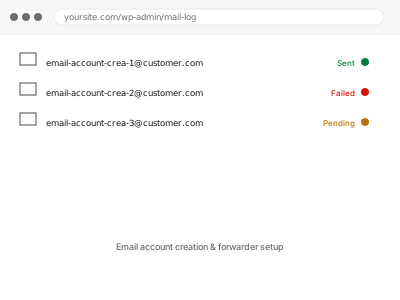
We create email accounts and configure forwarders through your hosting control panel — setting up mailboxes for your team, or forwarding rules that route mail from one address to another without needing a separate mailbox for each.
Email account creation & forwarder setup
Email accounts and forwarders created and tested — not a migration from another provider.
- Full backup taken before we start
- If we can’t fix it, you get your money back
- We never ask for your own password
What we need from you
- Access to your hosting control panel’s email management
- A list of the email accounts or forwarders needed, with their intended addresses and destinations
- Confirmation of mailbox storage requirements, if your plan has a limit worth being aware of
This or something else?
| You need email accounts created or forwarders configured through your control panel | This fix covers it |
| You want mail routed through Google Workspace instead of your host’s own email | Google Workspace mail routing for domain, in the Integrations & Automation bucket, a different approach |
| An existing email account has a deliverability problem, not a creation or forwarding need | Worth checking Email & Deliverability category fixes, a different kind of concern |
| You want a mailbox migrated from one host to another, not created fresh | Worth describing your specific situation — migration involves additional considerations beyond fresh creation |
What we do
- Confirm the specific accounts and forwarders needed
- Create email accounts through your control panel
- Configure forwarding rules as specified
- Verify each account and forwarder works correctly with a test message
- Check mailbox storage allocation is reasonable for expected use
- Document the accounts and forwarders set up
What is included
- Email accounts and forwarders created and verified working
- Tested confirmation using real test messages
- Reasonable storage allocation confirmed
- A written record of what was set up
Not included
- Migrating existing email content from a previous provider — a separate, related task
- Setting up a third-party email service like Google Workspace instead — a separate, related fix
- Broader email deliverability configuration (SPF, DKIM) — worth checking as a related, complementary concern
- Ongoing management as your team’s email needs change
Questions about this fix
Is hosting-based email as reliable as something like Google Workspace?
It can work fine for many sites, though hosting-based email often has more limited features and can be more prone to deliverability issues than a dedicated email service — worth weighing if email is business-critical for you.
What's the difference between an email account and a forwarder?
An account is a genuine mailbox that stores messages and needs its own login; a forwarder simply redirects incoming mail to another address without storing anything itself, which is simpler but means you can't reply directly from that forwarded address without extra configuration.
Can I set up a forwarder that also keeps a copy in the original mailbox?
Yes, most control panels support this specifically, forwarding a copy while also retaining the original in the mailbox — worth specifying if that's what you want rather than the mail only ending up at the forwarded destination.
How much storage does each mailbox typically get?
This depends on your hosting plan's allocation — we'd confirm what's available and flag if your expected use might approach that limit.
Will this affect my existing email accounts on the same domain?
No, creating new accounts or forwarders shouldn't affect existing ones already configured correctly.
Related fixes
If this is the second time this year
A bad update breaking the site is a symptom of updates not being tested first. Care plans run every update on a staging clone before it reaches your live site, which is the actual fix for this happening again.
Your access, your rules
Create a separate admin account for us and delete it when we are done. For anything else, we get in touch and agree a method — never a form field on this site, never by reply to an email.
We back up first, always
Before anything is touched we take a full backup and keep it for 30 days. If a fix goes wrong, we put the site back exactly as it was.
If it is not what you bought
If the problem turns out smaller than what you ordered, we refund the difference. If it is bigger, we stop and send a quote before doing any extra work.
If we cannot fix it
You get back what we received. Diagnosis is on us — you only pay when the problem is actually solved. The payment processor takes its fee before the money reaches us, so we never hold it and it is not ours to return. That is true here as everywhere else.
If it comes back
Reply within seven days of delivery and we put it back on the bench at no cost. The fix is not finished until it holds.
What we are responsible for
If something goes wrong with a fix, our responsibility is limited to what you paid for it. We take a full backup first so mistakes can be undone, and we tell you before doing anything outside what you bought.