
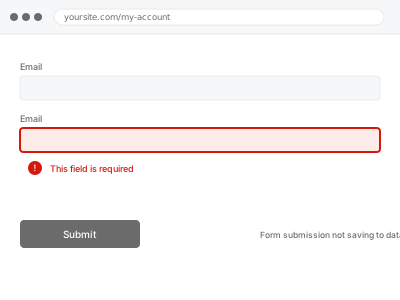
A form that submits successfully from the visitor’s side but leaves no corresponding entry in your database means the connection between the form plugin and its storage is broken somewhere — the visitor sees a success message either way, which is exactly why this often goes unnoticed until someone asks why a submission never arrived.
Submit a test entry and check the plugin’s own entries list, not just your email
Submit the form yourself with clearly marked test data, then check the form plugin’s entries or submissions screen directly in wp-admin, not just whether a notification email arrived. If the entry is genuinely missing from the plugin’s own storage, that confirms a database-saving problem rather than an email delivery issue.
Form submission not saving to database
A form that shows success but never actually saves — traced to where the write really breaks.
- Full backup taken before we start
- If we can’t fix it, you get your money back
- We never ask for your own password
This or something else?
| Form submissions aren’t being saved to the database, even though the visitor sees a success message | This fix covers it |
| The entry saves fine but notification emails aren’t arriving | Worth checking Email & Deliverability category fixes, a different point of failure |
| You need to recover entries that were submitted before this was noticed | Form entry export & data recovery, a related, follow-up concern |
| The form isn’t submitting at all, not even showing a success message | A different, earlier-stage failure — worth describing what actually happens when submitting |
What you are seeing
- A visitor-facing success message despite no entry appearing in the plugin’s records
- Entries missing intermittently rather than every single time
- The issue possibly starting after a plugin or theme update
- No error visible to the visitor submitting the form
Common causes
- A database table associated with the form plugin becoming corrupted or reaching a storage limit
- A conflicting plugin intercepting the form submission before it reaches the database write
- A caching plugin serving a cached version of the form that doesn’t correctly process new submissions
- A plugin update changing the expected database schema without a corresponding, completed migration
- A hosting-level firewall silently blocking the submission request before it ever reaches WordPress
What we do
- Reproduce the issue with a test submission to confirm the exact failure point
- Check the relevant database tables for corruption or storage issues
- Identify any conflicting plugin intercepting the submission
- Correct the underlying cause
- Verify test submissions now save correctly
- Check whether any recent, genuine submissions were lost during the failure window
What is included
- The cause of the database-saving failure identified and corrected
- Verified test submissions saving correctly
- A check for any recent submissions lost during the failure window
- The pre-fix backup, kept for 30 days
Not included
- Recovering entries that were lost before the fix, if none can be found in any partial or cached record — a separate, related fix worth discussing if that’s your situation
- Email notification delivery issues, a separate point of failure
- Broader form plugin conflicts unrelated to database saving specifically
- Ongoing monitoring for a future recurrence
Questions about this fix
How do I know if I've actually lost any submissions?
We check for any partial records or logs during the failure window, though if the underlying issue prevented the save entirely with nothing captured anywhere, that data may genuinely be unrecoverable — worth confirming the actual scope with us directly.
Why would the visitor see a success message if the entry never saved?
Many form plugins show a success message once the form is submitted client-side, before or independently of confirming the database write actually completed — which is exactly the disconnect that makes this fault so easy to miss.
Could this be happening right now without me knowing?
Yes, that's the nature of this specific problem — it produces no visible symptom for the visitor or, often, for you, unless you're specifically checking submission counts against expected volume.
Should I periodically check submission counts to catch this early next time?
That's a reasonable, lightweight habit given how invisible this specific fault is — comparing entry counts against roughly expected volume every so often would catch a recurrence long before a customer has to tell you their submission never arrived.
Is this related to a plugin update I did recently?
Possibly — a plugin update changing its expected database structure without a clean migration is one of the more common causes, which is why we check the update history as part of diagnosing this.
Related fixes
If this is the second time this year
A bad update breaking the site is a symptom of updates not being tested first. Care plans run every update on a staging clone before it reaches your live site, which is the actual fix for this happening again.
Your access, your rules
Create a separate admin account for us and delete it when we are done. For anything else, we get in touch and agree a method — never a form field on this site, never by reply to an email.
We back up first, always
Before anything is touched we take a full backup and keep it for 30 days. If a fix goes wrong, we put the site back exactly as it was.
If it is not what you bought
If the problem turns out smaller than what you ordered, we refund the difference. If it is bigger, we stop and send a quote before doing any extra work.
If we cannot fix it
You get back what we received. Diagnosis is on us — you only pay when the problem is actually solved. The payment processor takes its fee before the money reaches us, so we never hold it and it is not ours to return. That is true here as everywhere else.
If it comes back
Reply within seven days of delivery and we put it back on the bench at no cost. The fix is not finished until it holds.
What we are responsible for
If something goes wrong with a fix, our responsibility is limited to what you paid for it. We take a full backup first so mistakes can be undone, and we tell you before doing anything outside what you bought.