
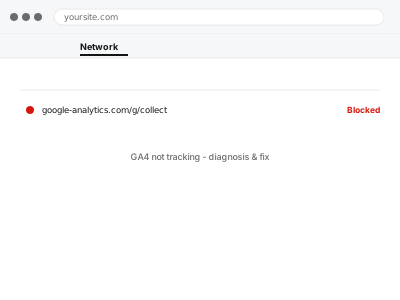
GA4 can look correctly installed and still not track anything, because the piece that fails is rarely obvious from the site itself — the tracking code might load and even appear to fire, while GA4’s own property is misconfigured to reject or misplace the data it receives. That’s the core difficulty here: the site, the tag, and the platform are three separate things that can each be right or wrong independently, and a working page doesn’t tell you which one actually is.
Check DebugView, not just whether the tag fires
Open GA4’s own DebugView report (Admin → DebugView) with the Google Analytics Debugger browser extension active, then visit your site in that browser. If events appear in DebugView in real time, the tag is firing and reaching Google correctly — the problem is elsewhere in GA4’s own reporting setup.
If nothing appears there at all, the fault is upstream of GA4, on the site or in how the tag is installed.
GA4 not tracking - diagnosis & fix
GA4 showing no data even though everything looks installed — we find whether the site, the tag, or the platform is the actual break.
- Full backup taken before we start
- If we can’t fix it, you get your money back
- We never ask for your own password
This or something else?
| GA4 shows no data at all, or data stopped suddenly | This fix covers it |
| Data is arriving but numbers look obviously wrong (too high, too low) | A different, data-accuracy diagnosis |
| The tag was never actually installed | GA4 property setup & WordPress connection |
| Two different tracking codes are both installed and firing | Duplicate / conflicting tracking code removal |
| Ecommerce events specifically aren’t tracking, but pageviews are | WooCommerce GA4 ecommerce tracking setup |
What you are seeing
- GA4’s Realtime report showing no active users despite people on the site
- Standard reports showing zero or near-zero data for a period you know had traffic
- The tracking code visible in the page source, but nothing arriving in GA4
- It may have started after a theme change, plugin update, or GA4 property change
- DebugView may or may not show events, depending on where the actual failure is
Common causes
- The measurement ID in the site’s tracking code not matching the actual GA4 property
- A consent management plugin blocking the tag by default until consent is given, if analytics consent isn’t actually being granted
- The tag installed via a plugin that’s since been deactivated or replaced without removing the old code
- A caching plugin serving a cached page with an outdated or missing tracking snippet
- The GA4 property itself having a data-stream configuration that doesn’t match the site’s actual domain
What we do
- Confirm whether the tag fires at all, using GA4’s own DebugView as the source of truth
- Verify the measurement ID in the site matches the intended GA4 property exactly
- Check consent configuration if a cookie banner is involved
- Identify whether the failure is on the site side or the GA4 configuration side
- Fix the identified cause and re-verify with DebugView
- Confirm real data starts appearing in Realtime, then standard reports over the following day
What is included
- The specific cause of missing tracking identified
- Tracking confirmed working via DebugView and Realtime
- The correct measurement ID confirmed and corrected if needed
- A written note on what was actually wrong
Not included
- Recovering historical data lost during the period tracking was broken — GA4 cannot backfill data retroactively
- Setting up conversion events or ecommerce tracking beyond confirming basic tracking works
- Auditing your GA4 account’s user permissions or other properties
- Fixing a Google account-level issue, such as a suspended account
Questions about this fix
Can you get back the data I lost while this was broken?
No, and nobody can — GA4 only records what actually happens while tracking works, so a gap in tracking is a permanent gap in that data.
How do I know if it's really fixed, or just looks fixed?
DebugView showing your own real-time visit as an event is the most reliable immediate confirmation — we also check that Realtime and, over the next day, standard reports pick it up too.
Could this be Google's fault, not my site's?
Rarely, but not impossible — a GA4 outage or account-level issue exists as a possibility, which is part of why we confirm exactly where the failure sits rather than assuming it's always the site.
Will this happen again after a theme or plugin update?
It can, if the update removes or changes whatever's installing the tag — we tell you specifically how your tag is installed so you know what to check after future updates.
Do I need Google Tag Manager for this, or is direct GA4 installation fine?
Either works — GTM adds flexibility for adding more tags later without touching the site again, but direct installation is simpler if GA4 is all you need.
Related fixes
If this is the second time this year
A bad update breaking the site is a symptom of updates not being tested first. Care plans run every update on a staging clone before it reaches your live site, which is the actual fix for this happening again.
Your access, your rules
Create a separate admin account for us and delete it when we are done. For anything else, we get in touch and agree a method — never a form field on this site, never by reply to an email.
We back up first, always
Before anything is touched we take a full backup and keep it for 30 days. If a fix goes wrong, we put the site back exactly as it was.
If it is not what you bought
If the problem turns out smaller than what you ordered, we refund the difference. If it is bigger, we stop and send a quote before doing any extra work.
If we cannot fix it
You get back what we received. Diagnosis is on us — you only pay when the problem is actually solved. The payment processor takes its fee before the money reaches us, so we never hold it and it is not ours to return. That is true here as everywhere else.
If it comes back
Reply within seven days of delivery and we put it back on the bench at no cost. The fix is not finished until it holds.
What we are responsible for
If something goes wrong with a fix, our responsibility is limited to what you paid for it. We take a full backup first so mistakes can be undone, and we tell you before doing anything outside what you bought.