
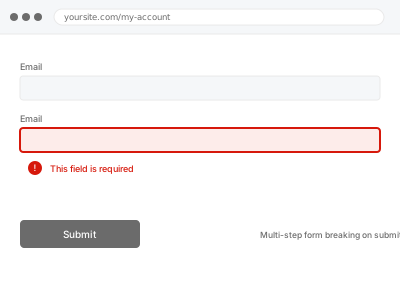
A multi-step form that lets visitors progress through each page but fails specifically on final submission usually means something breaks in how the accumulated data from all steps gets assembled and sent at the end, rather than a problem with any individual step in isolation.
Note exactly which step the failure happens on, and what error appears
Complete the form through every step, noting specifically whether the failure happens on the very last submit action or somewhere earlier that only becomes apparent at the end. Any error message shown, even a generic one, and your browser’s console output both narrow down the cause considerably.
Multi-step form breaking on submit
A multi-step form that completes every page but fails right at the final submit.
- Full backup taken before we start
- If we can’t fix it, you get your money back
- We never ask for your own password
This or something else?
| A multi-step form progresses through its steps but fails on final submission | This fix covers it |
| The issue is specifically conditional logic behaving incorrectly across steps, not final submission itself | Conditional logic errors in forms |
| The form isn’t saving to the database at all, single-step or multi-step | Form submission not saving to database, if that’s the more accurate description |
| The multi-step form includes a payment step specifically causing the failure | Payment form integration errors, if that’s where the process actually breaks |
What you are seeing
- Every step completing normally until the final submit action fails
- Data from earlier steps appearing lost or incomplete at final submission
- A generic error or blank result instead of the expected confirmation
- The issue possibly only appearing for certain combinations of steps or answers
Common causes
- Session or browser storage used to hold data between steps expiring or being cleared before final submission
- A conflict between the multi-step form plugin and another plugin interfering with the final submission process
- A required field from an earlier step not being correctly carried through to the final data payload
- A server timeout occurring during the more resource-intensive final processing step
- A security plugin flagging the large, multi-field final payload as a suspicious bulk submission and blocking it
What we do
- Reproduce the failure by completing the form through every step
- Identify exactly where in the final submission process the failure occurs
- Check session or storage handling of data accumulated across steps
- Correct the underlying cause, whether storage, a plugin conflict, or a data mapping issue
- Test the complete multi-step flow end to end to confirm successful submission
- Verify submitted data reflects everything entered across all steps accurately
What is included
- The cause of the final submission failure identified and corrected
- A tested, confirmed working multi-step flow end to end
- Verified accurate data from all steps in the final submission
- The pre-fix backup, kept for 30 days
Not included
- Conditional logic errors within individual steps, a separate, related fix if that’s a distinct issue
- Redesigning the multi-step form’s structure or question flow
- Payment-specific failures within a multi-step flow, a separate, related fix
- Ongoing monitoring for a future recurrence
Questions about this fix
Why would every step work fine until the very end?
Multi-step forms often hold data temporarily (in session storage or the browser) until final submission assembles everything together — a problem with that accumulation or handoff process only becomes visible at the point everything needs to come together, not during the individual steps.
Could this be caused by a visitor taking too long to complete the form?
Yes, that's a real possibility — if data is held in a session that expires after a certain period of inactivity, a visitor who takes an unusually long time could genuinely lose their progress by the time they reach submission.
Will you need to test with every possible combination of answers?
We test enough realistic combinations to identify the actual failure point, focusing on where data handling seems to break down, rather than needing to exhaust every theoretically possible path.
Is this related to a plugin conflict, or something wrong with the form itself?
It can be either — we diagnose by testing carefully and checking for interference from other plugins, since a conflict often produces very similar symptoms to a problem within the form plugin's own logic.
Will fixing this affect the data collected from successful submissions before this started failing?
No, this addresses the submission process going forward — previously successful entries in your database remain unaffected.
Related fixes
If this is the second time this year
A bad update breaking the site is a symptom of updates not being tested first. Care plans run every update on a staging clone before it reaches your live site, which is the actual fix for this happening again.
Your access, your rules
Create a separate admin account for us and delete it when we are done. For anything else, we get in touch and agree a method — never a form field on this site, never by reply to an email.
We back up first, always
Before anything is touched we take a full backup and keep it for 30 days. If a fix goes wrong, we put the site back exactly as it was.
If it is not what you bought
If the problem turns out smaller than what you ordered, we refund the difference. If it is bigger, we stop and send a quote before doing any extra work.
If we cannot fix it
You get back what we received. Diagnosis is on us — you only pay when the problem is actually solved. The payment processor takes its fee before the money reaches us, so we never hold it and it is not ours to return. That is true here as everywhere else.
If it comes back
Reply within seven days of delivery and we put it back on the bench at no cost. The fix is not finished until it holds.
What we are responsible for
If something goes wrong with a fix, our responsibility is limited to what you paid for it. We take a full backup first so mistakes can be undone, and we tell you before doing anything outside what you bought.