
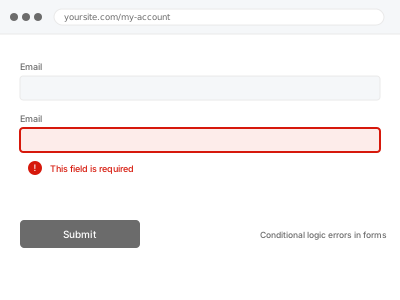
Conditional logic shows or hides form fields based on earlier answers, and when it fails — a field that should appear doesn’t, one that should hide stays visible, or the logic contradicts itself across multiple rules — visitors either can’t complete the form correctly or submit data that doesn’t make sense for their actual situation.
Walk through every conditional path yourself, not just the default one
Fill out the form choosing every combination of answers that should trigger different conditional behaviour, not just the first, most obvious path. Conditional logic bugs often hide in a specific combination of answers rather than showing up on a straightforward run-through.
Conditional logic errors in forms
Conditional fields that show, hide, or contradict incorrectly — traced through every real combination.
- Full backup taken before we start
- If we can’t fix it, you get your money back
- We never ask for your own password
This or something else?
| Conditional fields aren’t showing, hiding, or behaving correctly based on earlier answers | This fix covers it |
| The form is a multi-step form breaking specifically on final submission, not conditional field display | Multi-step form breaking on submit |
| The issue is with a payment field specifically appearing or calculating incorrectly | Payment form integration errors |
| You want conditional logic set up for the first time, not an existing broken rule fixed | Still covered by this fix, treated as an implementation rather than a repair |
What you are seeing
- A field that should appear based on an earlier answer failing to show
- A field that should hide remaining visible regardless of the triggering answer
- Contradictory behaviour when multiple conditional rules apply to the same field
- The issue possibly only appearing for specific combinations of answers, not every path through the form
Common causes
- Conflicting conditional rules applied to the same field without a clear priority order
- A rule referencing a field that was later renamed or removed from the form
- A plugin update changing how conditional logic is evaluated, breaking previously working rules
- Nested conditional logic (a rule depending on a field that’s itself conditionally shown) not evaluating in the expected order
- A translation plugin duplicating the form per language, with conditional rules only ever configured correctly on the original version
What we do
- Map every conditional rule currently configured on the form
- Test each triggering combination systematically to find where logic actually breaks
- Identify conflicting, outdated, or incorrectly ordered rules
- Correct the logic to behave as intended for every combination
- Re-test every path to confirm consistent, correct behaviour
- Verify submitted data reflects the correct conditional state for each test case
What is included
- Conditional logic corrected across every tested combination
- Verified consistent behaviour for every conditional path
- Confirmed submitted data accuracy reflecting conditional state
- The pre-fix backup, kept for 30 days
Not included
- Redesigning the form’s overall structure or question flow, beyond fixing existing logic
- Multi-step form submission issues unrelated to conditional logic specifically, a separate fix
- Payment-specific field errors, a separate, related fix
- Ongoing testing as new conditional rules are added later
Questions about this fix
Why would this only show up for some combinations of answers, not every time?
Conditional logic bugs often stem from how multiple rules interact with each other, so a specific, less common combination can expose a conflict that a more typical, straightforward path through the form never triggers.
Could a plugin update really change how this works?
Yes — a form plugin's underlying logic engine can change in an update, sometimes altering evaluation order or behaviour in ways that break rules that were previously working exactly as intended.
Will you test literally every possible combination?
We test systematically through every meaningfully distinct path, focusing on where rules interact or conflict, rather than an exhaustive brute-force test of every combination if the number is impractically large.
Is this the same as the form just being poorly designed?
Not necessarily — a form can be well-designed with genuinely broken underlying logic implementation, which is a technical fix rather than a redesign; if the actual question flow itself is the problem, that's a different, separate conversation.
Will fixing this affect data I've already collected?
No, this addresses the form's behaviour going forward — data already submitted and stored isn't retroactively changed by correcting the logic.
Related fixes
If this is the second time this year
A bad update breaking the site is a symptom of updates not being tested first. Care plans run every update on a staging clone before it reaches your live site, which is the actual fix for this happening again.
Your access, your rules
Create a separate admin account for us and delete it when we are done. For anything else, we get in touch and agree a method — never a form field on this site, never by reply to an email.
We back up first, always
Before anything is touched we take a full backup and keep it for 30 days. If a fix goes wrong, we put the site back exactly as it was.
If it is not what you bought
If the problem turns out smaller than what you ordered, we refund the difference. If it is bigger, we stop and send a quote before doing any extra work.
If we cannot fix it
You get back what we received. Diagnosis is on us — you only pay when the problem is actually solved. The payment processor takes its fee before the money reaches us, so we never hold it and it is not ours to return. That is true here as everywhere else.
If it comes back
Reply within seven days of delivery and we put it back on the bench at no cost. The fix is not finished until it holds.
What we are responsible for
If something goes wrong with a fix, our responsibility is limited to what you paid for it. We take a full backup first so mistakes can be undone, and we tell you before doing anything outside what you bought.