
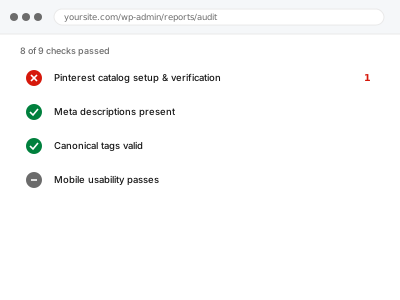
A Pinterest catalog lets your products appear as shoppable Product Pins, which requires verifying your website with Pinterest and submitting a feed in the format their system expects — distinct enough from Google’s and Meta’s own requirements that a feed built for one rarely passes for the other without adjustment.
Pinterest catalog setup & verification
A Pinterest catalog verified and submitted in the format their system actually expects.
- Full backup taken before we start
- If we can’t fix it, you get your money back
- We never ask for your own password
What we need from you
- A Pinterest business account, or confirmation of an existing one
- Website access sufficient to add domain verification
- Confirmation of which product categories you want included in the catalog
This or something else?
| You want a Pinterest catalog set up and verified for the first time | This fix covers it |
| You already have a Pinterest catalog with sync errors | A targeted diagnostic fix, similar in shape to the Meta or Google equivalents |
| You want your products on Google Shopping instead | Google Merchant Center account setup & site verification |
| You want your products on Facebook or Instagram shops | Meta commerce catalog sync & error fix, the equivalent setup for that platform |
What we do
- Set up or configure your Pinterest business account for commerce
- Verify your website domain with Pinterest
- Build a product feed matching Pinterest’s specific data requirements
- Submit the feed and confirm products are accepted into the catalog
- Verify Product Pins display correctly with accurate price and availability
- Check for any rejected products and resolve the cause
What is included
- A verified Pinterest business account with domain confirmed
- A correctly formatted product catalog submitted and accepted
- Verified Product Pins displaying accurate data
- A written note on what’s set up and how it stays current
Not included
- Ongoing catalog updates as your product range changes significantly
- Pinterest advertising campaign setup, a separate service
- Guaranteeing Pinterest approval for every product category
- Resolving an unrelated Google or Meta catalog issue
Questions about this fix
Can I use the same feed I already built for Google or Meta?
Not directly — Pinterest has its own specific data requirements, so the same underlying product data needs reformatting to match Pinterest's expected structure.
Do all my products qualify for Product Pins?
Most standard physical products do, though some categories carry restrictions — we confirm which of your products are eligible as part of this setup.
How long does Pinterest verification typically take?
Usually quick once the verification method is correctly in place, though Pinterest's own processing time can vary.
Will this help my products show up in Pinterest search results?
A properly set up catalog is a prerequisite for shoppable Pins appearing in relevant search and browse results, though visibility also depends on Pinterest's own ranking factors.
Is Pinterest worth the effort compared to Google or Meta?
That depends on your audience and product type — visually driven products in categories like home, fashion, and crafts often perform well there, but it's a genuinely different audience than Google Shopping.
Related fixes
If this is the second time this year
A bad update breaking the site is a symptom of updates not being tested first. Care plans run every update on a staging clone before it reaches your live site, which is the actual fix for this happening again.
Your access, your rules
Create a separate admin account for us and delete it when we are done. For anything else, we get in touch and agree a method — never a form field on this site, never by reply to an email.
We back up first, always
Before anything is touched we take a full backup and keep it for 30 days. If a fix goes wrong, we put the site back exactly as it was.
If it is not what you bought
If the problem turns out smaller than what you ordered, we refund the difference. If it is bigger, we stop and send a quote before doing any extra work.
If we cannot fix it
You get back what we received. Diagnosis is on us — you only pay when the problem is actually solved. The payment processor takes its fee before the money reaches us, so we never hold it and it is not ours to return. That is true here as everywhere else.
If it comes back
Reply within seven days of delivery and we put it back on the bench at no cost. The fix is not finished until it holds.
What we are responsible for
If something goes wrong with a fix, our responsibility is limited to what you paid for it. We take a full backup first so mistakes can be undone, and we tell you before doing anything outside what you bought.