
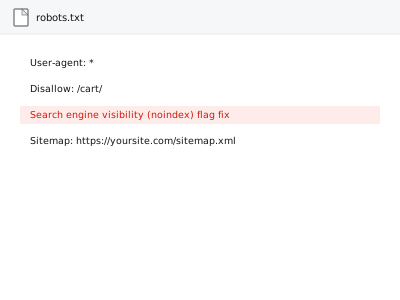
A single checkbox in WordPress — “discourage search engines from indexing this site” — left checked after launch tells every search engine not to index your site at all, which is one of the most common and completely invisible reasons a site never shows up in search despite otherwise looking perfectly normal.
Check this specific setting before assuming a deeper problem
In wp-admin, go to Settings > Reading and look for “Discourage search engines from indexing this site.” If it’s checked, that alone can fully explain a site’s total absence from search results, regardless of how good the content or technical setup otherwise is — this takes seconds to check and costs nothing.
Search engine visibility (noindex) flag fix
One checkbox left ticked since before launch — the most common reason a site never shows in search.
- Full backup taken before we start
- If we can’t fix it, you get your money back
- We never ask for your own password
This or something else?
| Your site isn’t appearing in search results at all, and you haven’t checked this specific setting | This fix covers it |
| You’ve confirmed this setting is correctly unchecked and the site still isn’t indexing | Indexation audit & remediation report, in the Content & Updates bucket, a broader diagnostic |
| The setting is correct but specific pages have their own individual noindex tags | Meta robots / noindex audit across templates, a more targeted, template-wide check |
| You want a broader technical SEO review, not just this one setting | Machine-readability audit report, or a broader SEO audit |
What you are seeing
- The site not appearing in search results despite having content and being live for a reasonable period
- The setting checked in Settings > Reading, often left over from a staging or pre-launch phase
- Search Console potentially showing the site as blocked or not indexed
- No other obvious technical issue, since the site otherwise loads and functions normally
Common causes
- The setting left checked from before launch and never revisited once the site went live
- A migration or theme change resetting this setting to its checked, discouraging state
- A staging-to-live process not correctly carrying forward the intended, unchecked setting
- The setting checked deliberately during development and simply forgotten about
- An SEO plugin’s own separate indexing toggle left enabled independently, continuing to block search engines even after WordPress’s core setting is corrected
What we do
- Confirm the current state of this setting
- Uncheck it if incorrectly enabled
- Verify the change actually takes effect in the site’s robots meta output
- Check for any other, related settings also blocking indexing
- Submit the site for re-crawling through Search Console where appropriate
- Confirm no other, deeper indexation issue exists alongside this one
What is included
- The setting corrected if found incorrectly enabled
- Verified change reflected in the site’s actual output
- A check for related settings also affecting indexing
- Submission for re-crawling where appropriate
Not included
- A broader indexation audit if this setting turns out not to be the actual cause — a separate, related fix at that point
- Recovering search rankings or visibility lost during the period this was incorrectly set
- Fixing individual page-level noindex tags, a separate, related fix if that’s also present
- Guaranteeing how quickly search engines actually re-crawl and re-index after this is corrected
Questions about this fix
How long could my site have been invisible to search because of this?
Potentially since launch, if the setting was never revisited — this is exactly the kind of issue that produces no other visible symptom, since the site works completely normally for actual visitors.
Will fixing this immediately bring my site back into search results?
Correcting the setting removes the barrier, but search engines still need to re-crawl and re-index your site, which isn't instant — submitting for re-crawling through Search Console can help this happen sooner rather than waiting for a normal crawl cycle.
Why would this setting have been checked in the first place?
It's commonly enabled deliberately during development or on a staging site specifically to prevent an unfinished site from being indexed, and simply not unchecked again once the site actually launched.
Is this something I could have checked myself for free?
Yes, entirely — this is genuinely a several-second check with no cost, which is exactly why it's worth confirming first before assuming a more complex, deeper technical problem.
What if this setting is correctly unchecked but I'm still not showing up in search?
Then the cause is something else entirely, and a broader indexation audit would be the appropriate next step to identify what's actually happening.
Related fixes
If this is the second time this year
A bad update breaking the site is a symptom of updates not being tested first. Care plans run every update on a staging clone before it reaches your live site, which is the actual fix for this happening again.
Your access, your rules
Create a separate admin account for us and delete it when we are done. For anything else, we get in touch and agree a method — never a form field on this site, never by reply to an email.
We back up first, always
Before anything is touched we take a full backup and keep it for 30 days. If a fix goes wrong, we put the site back exactly as it was.
If it is not what you bought
If the problem turns out smaller than what you ordered, we refund the difference. If it is bigger, we stop and send a quote before doing any extra work.
If we cannot fix it
You get back what we received. Diagnosis is on us — you only pay when the problem is actually solved. The payment processor takes its fee before the money reaches us, so we never hold it and it is not ours to return. That is true here as everywhere else.
If it comes back
Reply within seven days of delivery and we put it back on the bench at no cost. The fix is not finished until it holds.
What we are responsible for
If something goes wrong with a fix, our responsibility is limited to what you paid for it. We take a full backup first so mistakes can be undone, and we tell you before doing anything outside what you bought.