
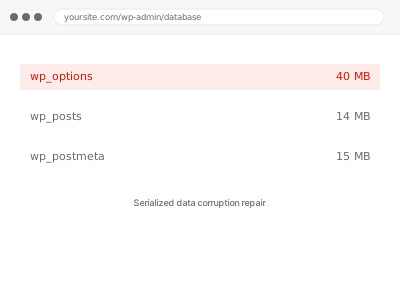
WordPress stores many settings and options as serialized PHP arrays — a specific text format that records both the data and its exact length. Edit that data with a plain find-and-replace tool, change a domain name directly in the database, or interrupt a write partway, and the recorded length no longer matches the actual content, which breaks the whole structure rather than just the one value that changed.
Why this isn’t something to attempt yourself
Serialized data corruption often looks like nothing at all from wp-admin — a setting silently reverts to default, a widget loses its configuration, a plugin behaves as if it were never configured.
There’s no safe way to identify or partially fix this from within WordPress’s own screens; it requires reading and repairing the raw data directly, and a wrong attempt can make an already-broken value completely unreadable rather than partially recoverable.
This is exactly the kind of problem where a well-intentioned guess, made through a general database tool without understanding the serialization format specifically, tends to turn a fixable corruption into an unfixable one, which is precisely the outcome the backup taken before we touch anything is there to prevent.
Serialized data corruption repair
A setting or plugin configuration silently reverted after a migration or domain change, with no error anywhere. We repair the underlying corrupted data directly.
- Full backup taken before we start
- If we can’t fix it, you get your money back
- We never ask for your own password
This or something else?
| Settings, widgets or plugin configuration reverting after a domain change or find-and-replace | This fix covers it |
| A specific plugin’s options disappearing after a migration | This fix covers it |
| General database corruption unrelated to serialized data specifically | Database table crash repair |
| A table that won’t load at all, rather than a setting silently resetting | Database table crash repair |
| General database size or performance, no corruption symptom | Database size audit & reduction report |
What you are seeing
- A setting or configuration that silently reverted to its default with no explanation
- A widget or plugin losing its saved configuration after a migration or domain change
- Options that look correct in the database but don’t apply anywhere in WordPress
- The problem appearing right after a direct database edit, a find-and-replace tool, or a migration
- No error message anywhere, just settings behaving as if they were never saved
Common causes
- A plain text find-and-replace run directly on the database, commonly during a domain or URL change
- A migration tool that didn’t account for serialized data length when moving content
- A direct database edit made through phpMyAdmin without adjusting the serialized length
- An interrupted write during a crash or timeout, leaving a value partially saved
- A backup or restore process that altered line endings or encoding, subtly changing byte length
What we do
- Identify which options or postmeta values are affected by corrupted serialization
- Determine what the original, intended data most likely was
- Repair the serialized structure so the length matches the actual content again
- Verify the setting or configuration is correctly read by WordPress after repair
- Check for other values affected by the same cause, not just the one first noticed
- Confirm the site behaves correctly across everything touched by the repair
What is included
- Corrupted serialized data identified and repaired
- Verification that repaired settings are correctly read by WordPress and plugins
- A check for related corruption from the same cause, not just the reported symptom
- The pre-repair backup, kept for 30 days
Not included
- Reconstructing data that’s genuinely unrecoverable, with no trace of the original left
- Fixing the tool or process that caused the corruption, like a find-and-replace method
- General database cleanup unrelated to corrupted serialization
- Ongoing monitoring for future corruption
Questions about this fix
How does a simple find-and-replace break serialized data?
Because the serialized format records the exact character length of each string alongside the string itself — replacing text changes the length without updating that recorded number, so WordPress reads a mismatch and the whole structure fails to parse correctly.
Is my content actually deleted, or just unreadable?
Usually still present, just unreadable in its current broken form — repair means restoring the structure so WordPress can read it again, not recreating content from nothing.
Can this happen from a normal WordPress action, or only from direct database edits?
Almost always from something acting directly on the database — a migration tool, a find-and-replace script, manual phpMyAdmin edits — rather than from anything done through the normal WordPress admin interface.
How do I know if I have this problem versus something else?
The distinguishing sign is a setting or configuration that silently reverts or disappears with no error, especially following a domain change, migration, or direct database tool use — if that matches what you're seeing, this is likely the right diagnosis.
Does this affect WooCommerce order data specifically?
It can, since order line items and metadata are stored using the same serialized format as everything else — if a domain change or find-and-replace touched order data, we check it with the same care as any other affected table.
Related fixes
If this is the second time this year
A bad update breaking the site is a symptom of updates not being tested first. Care plans run every update on a staging clone before it reaches your live site, which is the actual fix for this happening again.
Your access, your rules
Create a separate admin account for us and delete it when we are done. For anything else, we get in touch and agree a method — never a form field on this site, never by reply to an email.
We back up first, always
Before anything is touched we take a full backup and keep it for 30 days. If a fix goes wrong, we put the site back exactly as it was.
If it is not what you bought
If the problem turns out smaller than what you ordered, we refund the difference. If it is bigger, we stop and send a quote before doing any extra work.
If we cannot fix it
You get back what we received. Diagnosis is on us — you only pay when the problem is actually solved. The payment processor takes its fee before the money reaches us, so we never hold it and it is not ours to return. That is true here as everywhere else.
If it comes back
Reply within seven days of delivery and we put it back on the bench at no cost. The fix is not finished until it holds.
What we are responsible for
If something goes wrong with a fix, our responsibility is limited to what you paid for it. We take a full backup first so mistakes can be undone, and we tell you before doing anything outside what you bought.