
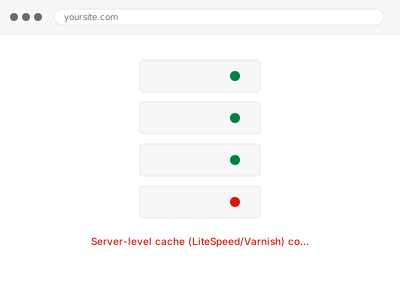
Server-level caching (LiteSpeed Cache, Varnish) caches your site’s pages before WordPress even has to generate them, which can meaningfully improve performance beyond what a WordPress plugin-level cache alone achieves — but only where your specific hosting environment actually provides this at the server level, since it’s not something available on every hosting plan.
Confirm your host actually provides server-level caching before ordering this
Check your control panel for a LiteSpeed Cache or Varnish section specifically. If neither is present, your hosting environment likely doesn’t offer server-level caching, in which case a well-configured WordPress plugin-level cache is the realistic alternative rather than something this fix can create where the underlying server support doesn’t exist.
Server-level cache (LiteSpeed/Varnish) configuration
LiteSpeed or Varnish caching configured correctly — only where your host actually offers it.
- Full backup taken before we start
- If we can’t fix it, you get your money back
- We never ask for your own password
What we need from you
- Access to your hosting control panel’s caching settings
- Confirmation of which pages or content types must never be cached (checkout, account areas)
- Access to any existing WordPress caching plugin, so we can check for conflicts
This or something else?
| Your host provides LiteSpeed or Varnish server-level caching and you want it configured correctly | This fix covers it |
| Your host doesn’t offer server-level caching at all | Worth confirming this first — a WordPress plugin-level cache would be the realistic alternative |
| You’re experiencing a conflict between server-level and plugin-level caching | Server cache & plugin cache conflict, in the Configuration & Environment category, the diagnostic version |
| You want a CDN configured, a different, complementary kind of caching | CDN configuration & origin conflict fix, in the Configuration & Environment category |
What we do
- Confirm your host provides server-level caching and which type
- Configure caching rules appropriate to your site’s content (static pages cached, dynamic content excluded)
- Verify cached pages serve correctly and update when content changes
- Test that dynamic, sensitive pages (checkout, account areas) are correctly excluded
- Check for conflicts with any existing WordPress plugin-level cache
- Measure and document the performance improvement achieved
What is included
- Server-level caching configured appropriately for your site’s content
- Verified correct caching and exclusion behaviour
- A check for conflicts with plugin-level caching
- Measured performance improvement, documented
Not included
- Providing server-level caching where your specific hosting plan genuinely doesn’t offer it — that’s a hosting environment limitation, not something we can configure around
- CDN configuration, a separate, related, complementary fix
- Resolving a caching conflict that turns out to have a different, non-caching root cause
- Ongoing tuning as your site’s content or traffic patterns change significantly
Questions about this fix
What if my host doesn't offer LiteSpeed or Varnish?
That's a genuine limitation of some hosting environments — server-level caching specifically requires the hosting infrastructure to support it, and where it doesn't, a well-configured WordPress plugin-level cache is the realistic, still-effective alternative.
Will this conflict with a caching plugin I already have installed?
Potentially, if both try to cache the same content independently — we check for and resolve this as part of configuring server-level caching correctly alongside whatever plugin-level cache already exists.
Is the improvement from server-level caching typically bigger than a plugin cache alone?
Often, yes, since it intercepts a request before WordPress even loads at all, though the actual gap depends heavily on your specific site — we measure and document the real difference for you rather than quoting a generic figure.
Could caching cause visitors to see outdated content?
If configured correctly, cached pages update appropriately when content changes — we specifically test this as part of the fix, since serving stale content is exactly the kind of problem careful configuration is meant to prevent.
Is server-level caching better than just using a good caching plugin?
It can offer a meaningful performance advantage since it intercepts requests before WordPress even loads, though a well-configured plugin-level cache is still genuinely effective — the best approach depends on what your specific hosting actually supports.
Related fixes
If this is the second time this year
A bad update breaking the site is a symptom of updates not being tested first. Care plans run every update on a staging clone before it reaches your live site, which is the actual fix for this happening again.
Your access, your rules
Create a separate admin account for us and delete it when we are done. For anything else, we get in touch and agree a method — never a form field on this site, never by reply to an email.
We back up first, always
Before anything is touched we take a full backup and keep it for 30 days. If a fix goes wrong, we put the site back exactly as it was.
If it is not what you bought
If the problem turns out smaller than what you ordered, we refund the difference. If it is bigger, we stop and send a quote before doing any extra work.
If we cannot fix it
You get back what we received. Diagnosis is on us — you only pay when the problem is actually solved. The payment processor takes its fee before the money reaches us, so we never hold it and it is not ours to return. That is true here as everywhere else.
If it comes back
Reply within seven days of delivery and we put it back on the bench at no cost. The fix is not finished until it holds.
What we are responsible for
If something goes wrong with a fix, our responsibility is limited to what you paid for it. We take a full backup first so mistakes can be undone, and we tell you before doing anything outside what you bought.