
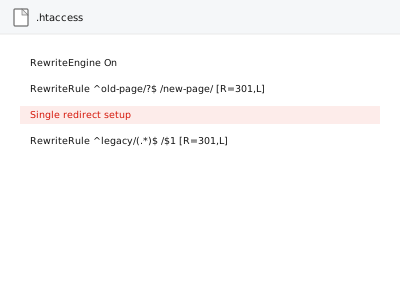
A single redirect — sending one specific old URL to one new destination — is often all that’s needed when a single page moves or gets renamed, and getting the redirect type right (permanent versus temporary) matters more than it might seem for how search engines treat the change.
Single redirect setup
One old URL, one new destination, the correct redirect type applied.
- Full backup taken before we start
- If we can’t fix it, you get your money back
- We never ask for your own password
What we need from you
- The exact old URL and the exact new destination URL
- Confirmation of whether the move is permanent or temporary
- Access to implement the redirect at the appropriate level
This or something else?
| You need one specific URL redirected to one destination | This fix covers it |
| You have several URLs needing redirects, from a prepared list | Bulk redirect import from supplied map, a more efficient approach for multiple redirects |
| You have confirmed 404 errors needing mapping, not a single known move | 404 mapping & redirect implementation |
| An existing redirect isn’t working correctly | Worth describing the specific issue — likely a targeted correction rather than a fresh setup |
What we do
- Confirm the exact old and new URLs
- Confirm whether a permanent (301) or temporary (302) redirect is appropriate
- Implement the redirect at the correct level for your site
- Verify it resolves correctly to the intended destination
- Check for any conflict with an existing rule
- Confirm the redirect doesn’t create an unintended chain with another existing redirect
What is included
- A correctly implemented, verified single redirect
- The appropriate redirect type applied
- A check for conflicts or unintended chains
- The pre-change backup, kept for 30 days
Not included
- Bulk redirect setup for multiple URLs, a separate, more efficient fix if you have several
- Mapping unmapped 404 errors more broadly, a separate, related fix
- Fixing an existing, already-broken redirect setup elsewhere on the site
- Ongoing redirect management as a standing service
Questions about this fix
What's the difference between a permanent and temporary redirect, and does it actually matter?
A permanent (301) redirect tells search engines to transfer ranking signal to the new URL and update their records accordingly; a temporary (302) suggests the old URL may return, which is the correct choice for something genuinely short-term, like a seasonal page.
Will this pass my existing search rankings to the new URL?
A properly implemented permanent redirect generally transfers most ranking signal to the new destination, though some natural, temporary fluctuation during re-crawling and re-indexing is normal.
Is this worth ordering for just one URL, or should I wait until I have more?
A single redirect is a small, quick fix on its own — if you already know you'll need several more soon, mentioning that upfront lets us suggest whether a bulk approach makes more sense instead.
What happens to people who bookmarked the old URL?
The redirect ensures anyone visiting the old URL, whether from a bookmark or an old link, lands correctly on the new destination rather than hitting a broken page.
Could this redirect conflict with something else already set up?
We check for that specifically as part of this fix, since an unnoticed conflict or unintended chain is a common way a single, simple redirect goes wrong.
Related fixes
If this is the second time this year
A bad update breaking the site is a symptom of updates not being tested first. Care plans run every update on a staging clone before it reaches your live site, which is the actual fix for this happening again.
Your access, your rules
Create a separate admin account for us and delete it when we are done. For anything else, we get in touch and agree a method — never a form field on this site, never by reply to an email.
We back up first, always
Before anything is touched we take a full backup and keep it for 30 days. If a fix goes wrong, we put the site back exactly as it was.
If it is not what you bought
If the problem turns out smaller than what you ordered, we refund the difference. If it is bigger, we stop and send a quote before doing any extra work.
If we cannot fix it
You get back what we received. Diagnosis is on us — you only pay when the problem is actually solved. The payment processor takes its fee before the money reaches us, so we never hold it and it is not ours to return. That is true here as everywhere else.
If it comes back
Reply within seven days of delivery and we put it back on the bench at no cost. The fix is not finished until it holds.
What we are responsible for
If something goes wrong with a fix, our responsibility is limited to what you paid for it. We take a full backup first so mistakes can be undone, and we tell you before doing anything outside what you bought.