
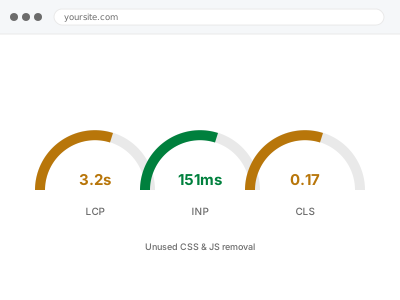
PageSpeed reports “reduce unused CSS” or “reduce unused JavaScript” when a large share of a downloaded file never actually gets used on that page — a plugin’s full stylesheet loaded for one small feature, a framework’s entire library loaded for a handful of functions. The browser still has to download and parse all of it before anything happens, which costs real time even though almost none of the code is actually used.
Before you buy, one quick look
Reversible, read-only. Right-click the page and View Page Source, then search for <link rel="stylesheet">.
More than around a dozen separate stylesheet files loading on a single page is a strong sign of exactly this problem, regardless of what any single tool’s percentage says. The same check works for <script> tags, and a similarly high count there points the same way.
This isn’t a precise diagnosis on its own — some of those files might be genuinely small — but a page with two dozen separate stylesheets almost always has real unused weight somewhere in that list, and it’s a useful sense check before committing to a fix.
Unused CSS & JS removal
PageSpeed flags unused CSS or JavaScript loading on your pages. We find which plugin assets are responsible and scope them to only where they're needed.
- Full backup taken before we start
- If we can’t fix it, you get your money back
- We never ask for your own password
This or something else?
| PageSpeed specifically flags unused CSS or unused JavaScript | This fix covers it |
| Many separate plugin stylesheets or scripts loading on every page | This fix covers it |
| CSS and JS loading in the wrong order, blocking render | Render-blocking CSS & JS resolution |
| Font files specifically are the bulk of what’s loading | Font optimization & preloading |
| Site slow generally with no specific flag raised | Slow site diagnostic report |
What you are seeing
- PageSpeed naming a specific number of kilobytes of “unused CSS” or “unused JavaScript”
- A large number of separate stylesheet or script files loading on one page
- Plugins that are barely used contributing a disproportionate share of page weight
- The same heavy files loading on every page regardless of whether that page needs them
- File sizes that seem large relative to how simple the page actually looks
Common causes
- A plugin loading its entire stylesheet or script sitewide instead of only where its feature appears
- A theme or page builder including a full component library for one small visual effect
- Old plugin or theme CSS left over from features no longer in use
- Multiple plugins each loading their own separate copy of the same common library
- No dependency management, so files load regardless of whether the current page actually needs them
What we do
- Identify which specific files are contributing the most unused code, per template
- Determine whether each file can be scoped to only the pages that need it
- Remove or conditionally load plugin assets so they only appear where actually used
- Check for duplicate libraries loaded by more than one plugin and consolidate where safe
- Re-test the affected pages to confirm the unused-code warning is reduced or resolved
- Confirm every feature that depended on those files still works correctly afterwards
What is included
- Unused CSS and JS identified and reduced per template
- Plugin assets scoped to the pages that actually need them, where safe to do so
- Duplicate libraries consolidated where more than one plugin loaded the same thing
- The pre-fix backup, kept for 30 days
Not included
- Rewriting a plugin’s own code, which is outside what we can safely change
- Removing a plugin entirely, which is a decision that stays yours
- Ongoing management as new plugins are added
- Render-blocking specifically, which is diagnosed and fixed separately
Questions about this fix
Will this break any plugin features?
Not if done correctly — the aim is to stop loading assets on pages that don't use them, not to remove assets a page genuinely needs. We test every affected feature specifically because this is exactly the kind of change that fails silently if done carelessly.
Why does a "small" plugin load so much code?
Many plugins ship one stylesheet and one script covering every feature they offer, and load it everywhere rather than only where a specific feature is used — simpler for the plugin author, at the cost of extra weight for every visitor on every page.
Can I just remove the plugin instead?
If you're not using it, yes, and that's often the simplest fix — we'll tell you if that's genuinely an option. If you need what it does, this fix keeps the feature and removes the sitewide cost of loading it everywhere.
Does this conflict with a caching plugin's own optimisation feature?
It can overlap, and where you already have one we work with its settings rather than duplicating or fighting them — the goal is the page actually loading less code, not two tools independently claiming credit for the same change.
How much of the flagged "unused" code can actually be removed?
Rarely all of it — some code is used on other pages of your site even if not this one, so scoping it correctly is the real work, rather than deleting anything that simply shows as unused on a single page's test.
Related fixes
If this is the second time this year
A bad update breaking the site is a symptom of updates not being tested first. Care plans run every update on a staging clone before it reaches your live site, which is the actual fix for this happening again.
Your access, your rules
Create a separate admin account for us and delete it when we are done. For anything else, we get in touch and agree a method — never a form field on this site, never by reply to an email.
We back up first, always
Before anything is touched we take a full backup and keep it for 30 days. If a fix goes wrong, we put the site back exactly as it was.
If it is not what you bought
If the problem turns out smaller than what you ordered, we refund the difference. If it is bigger, we stop and send a quote before doing any extra work.
If we cannot fix it
You get back what we received. Diagnosis is on us — you only pay when the problem is actually solved. The payment processor takes its fee before the money reaches us, so we never hold it and it is not ours to return. That is true here as everywhere else.
If it comes back
Reply within seven days of delivery and we put it back on the bench at no cost. The fix is not finished until it holds.
What we are responsible for
If something goes wrong with a fix, our responsibility is limited to what you paid for it. We take a full backup first so mistakes can be undone, and we tell you before doing anything outside what you bought.