
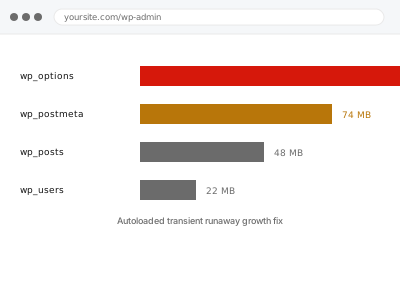
A transient is meant to be temporary — cached data with an expiry, cleared automatically once it’s no longer needed. A runaway transient is one that keeps creating new entries, often with a unique key each time, faster than anything ever clears them out, so the count and size climb continuously rather than settling at a stable, if large, total.
Before you buy, one quick check
Read-only, and done twice a few hours apart rather than once. If you have Query Monitor installed, or Site Health’s autoloaded options figure on WordPress 6.6 and later, note the number, wait a few hours without changing anything, then check again.
A large but stable number, unchanged between the two checks, points to accumulated bloat that’s stopped growing — the fix for that is a one-time cleanup. A number that’s visibly climbing between the two checks is a runaway transient still actively adding to itself.
That distinction is exactly what this fix targets — finding and stopping the source of ongoing growth, not just clearing the current total, which would only buy you a temporary reprieve before the same pattern rebuilds it within days or weeks, wasting the effort spent clearing it in the first place.
Autoloaded transient runaway growth fix
Your database's autoloaded or transient data keeps climbing rather than sitting at a stable size. We find what's continuously creating it and stop the growth at its source.
- Full backup taken before we start
- If we can’t fix it, you get your money back
- We never ask for your own password
This or something else?
| Autoloaded or transient data size visibly climbing over time, not just large | This fix covers it |
| Autoloaded data large but stable, not actively growing | wp_options autoload bloat reduction |
| General database bloat from revisions and drafts, not transients specifically | Database cleanup – revisions, autodrafts, transients |
| Action Scheduler logs specifically growing | Log & Action Scheduler table truncation |
| Site slow with no specific growth pattern identified | Slow site diagnostic report |
What you are seeing
- Database or autoloaded options size that keeps growing week over week with no plateau
- A specific plugin suspected, often one handling caching, sessions, or API responses
- The growth continuing even without new content being added to the site
- Site slowness that gets steadily worse rather than staying constant
- Cleanup performed previously that only provided temporary relief before growth resumed
Common causes
- A plugin creating a uniquely-keyed transient per visitor, session, or page view instead of reusing one
- A caching mechanism that was never configured with a proper expiry
- An API integration storing every response as a new transient rather than overwriting the last one
- A cron job intended to clear old transients that isn’t actually running
- A bug in a plugin’s own caching logic, unrelated to how it’s configured
What we do
- Confirm the growth pattern over time, not just a single large snapshot
- Identify which specific plugin or process is creating the runaway entries
- Determine whether it’s a configuration issue or a genuine bug in the plugin’s code
- Stop the source of the runaway growth, not just clear the current backlog
- Clear the accumulated backlog once the source is confirmed stopped
- Monitor briefly afterwards to confirm growth has actually stopped, not just paused
What is included
- The specific source of runaway growth identified, not just the symptom cleared
- The growth stopped at its source
- The accumulated backlog cleared once the source is confirmed fixed
- The pre-fix backup, kept for 30 days
Not included
- Rewriting a plugin’s own caching code, beyond what’s needed to stop the growth
- General database cleanup unrelated to the runaway transient
- Ongoing monitoring beyond confirming the fix held
- Replacing the plugin responsible, without your agreement
Questions about this fix
How is this different from the general autoload bloat fix?
That fix addresses a large but stable amount of autoloaded data. This fix addresses data that keeps growing continuously — the same underlying storage, but a different, ongoing cause that needs stopping rather than just clearing once.
If I just clear it now, will it come back?
Very likely, if the source isn't fixed — that's exactly why the two-point-in-time check matters before buying, so the fix targets the cause rather than repeating a temporary cleanup indefinitely.
Could this be a security problem, not just a performance one?
Occasionally, if the pattern matches something creating a unique entry per malicious request rather than per real visitor. We check for that specifically when the growth pattern looks unusual rather than assuming it's always innocent.
Will identifying the plugin responsible mean I have to stop using it?
Not necessarily — often the fix is a configuration correction within the plugin itself, not removing it. We'll tell you plainly if a genuine plugin bug is the cause and removal is the only real option.
How long does it take to confirm growth has actually stopped?
A short monitoring period after the fix, checking the same figure again, rather than assuming success immediately — this is exactly the kind of fix where declaring victory too early misses a partial cause still running.
Related fixes
If this is the second time this year
A bad update breaking the site is a symptom of updates not being tested first. Care plans run every update on a staging clone before it reaches your live site, which is the actual fix for this happening again.
Your access, your rules
Create a separate admin account for us and delete it when we are done. For anything else, we get in touch and agree a method — never a form field on this site, never by reply to an email.
We back up first, always
Before anything is touched we take a full backup and keep it for 30 days. If a fix goes wrong, we put the site back exactly as it was.
If it is not what you bought
If the problem turns out smaller than what you ordered, we refund the difference. If it is bigger, we stop and send a quote before doing any extra work.
If we cannot fix it
You get back what we received. Diagnosis is on us — you only pay when the problem is actually solved. The payment processor takes its fee before the money reaches us, so we never hold it and it is not ours to return. That is true here as everywhere else.
If it comes back
Reply within seven days of delivery and we put it back on the bench at no cost. The fix is not finished until it holds.
What we are responsible for
If something goes wrong with a fix, our responsibility is limited to what you paid for it. We take a full backup first so mistakes can be undone, and we tell you before doing anything outside what you bought.