
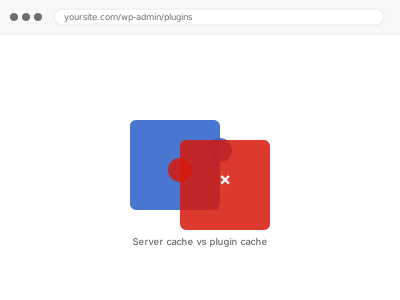
When a server-level cache and a WordPress caching plugin both try to cache the same content independently, they can conflict — one serving a stale version while the other has already updated, or both trying to manage the same cache-clearing trigger and interfering with each other — producing inconsistent, hard-to-diagnose behaviour.
Check whether the issue persists with the plugin cache temporarily disabled
If you’re seeing inconsistent or stale content, temporarily disable your WordPress caching plugin (leaving server-level caching active) and see if the issue changes. This helps isolate whether the conflict is specifically between the two layers, or something else entirely.
Server cache & plugin cache conflict
Server cache and plugin cache fighting each other, coordinated instead of left to conflict.
- Full backup taken before we start
- If we can’t fix it, you get your money back
- We never ask for your own password
This or something else?
| Server-level caching and a WordPress caching plugin appear to be conflicting | This fix covers it |
| You want server-level caching configured for the first time, not a conflict diagnosed | Server-level cache (LiteSpeed/Varnish) configuration, in the Hosting Control Panel Operations category |
| The conflict is between a CDN and your origin server, not two caching layers on the server itself | CDN configuration & origin conflict fix |
| You’re not sure if you even have server-level caching active | Worth confirming this first — we can check as part of diagnosing the actual issue |
What you are seeing
- Content appearing stale or inconsistent depending on which cache layer served the request
- A cache-clearing action in one system not correctly reflected by the other
- Dynamic content occasionally showing incorrect or outdated information
- The issue possibly appearing only intermittently rather than consistently
Common causes
- Both caching layers configured with different cache-clearing triggers, out of sync with each other
- A WordPress plugin’s cache-clearing action not correctly also triggering the server-level cache to clear
- Conflicting cache duration settings between the two layers
- Both layers attempting to cache the same dynamic content that should be excluded by at least one of them
- A staging or backup plugin temporarily disabling one caching layer during its own run, leaving the two out of sync until manually reconciled afterward
What we do
- Confirm both caching layers currently active and their individual configurations
- Identify the specific point of conflict between them
- Coordinate cache-clearing triggers so both layers stay in sync
- Adjust exclusions so dynamic content isn’t inconsistently cached by either layer
- Test content updates to confirm both layers correctly reflect changes together
- Verify overall performance benefit is maintained after resolving the conflict
What is included
- The specific conflict between caching layers identified and resolved
- Coordinated cache-clearing triggers between both layers
- Verified consistent behaviour on content updates
- Maintained performance benefit following the fix
Not included
- Setting up either caching layer from scratch, if the actual need is initial configuration rather than conflict resolution
- CDN-level conflicts, a separate, related fix if that’s actually the layer involved
- Removing one caching layer entirely, unless that’s agreed as the appropriate resolution
- Ongoing tuning as either layer’s own software updates in future
Questions about this fix
Should I just disable one of the two caching layers instead of fixing the conflict?
That's one possible resolution, though often both layers offer complementary benefits, and coordinating them correctly preserves both advantages rather than sacrificing one for simplicity — we'd discuss which approach makes more sense for your specific situation.
How do I know if I even have two separate caching layers active?
Server-level caching (like LiteSpeed Cache or Varnish) is typically configured at the hosting level, while a plugin cache is installed within WordPress itself — checking both your hosting control panel and your WordPress plugins list would confirm what's actually active.
Will this conflict happen again after a plugin update?
It's a genuine, ongoing risk if either layer's own software changes its caching or clearing behaviour in an update — worth a quick check after a significant update to either the caching plugin or server-level cache software.
Could this be why my content updates sometimes don't show immediately?
Yes, that's a classic symptom of exactly this kind of conflict — one layer clearing its cache correctly while the other continues serving a stale version until its own, separately-timed cache expires.
Is this a common issue, or unusual for most sites?
Reasonably common on sites using both server-level and plugin-level caching without deliberate coordination between them, since each is often configured independently without considering the other.
Related fixes
If this is the second time this year
A bad update breaking the site is a symptom of updates not being tested first. Care plans run every update on a staging clone before it reaches your live site, which is the actual fix for this happening again.
Your access, your rules
Create a separate admin account for us and delete it when we are done. For anything else, we get in touch and agree a method — never a form field on this site, never by reply to an email.
We back up first, always
Before anything is touched we take a full backup and keep it for 30 days. If a fix goes wrong, we put the site back exactly as it was.
If it is not what you bought
If the problem turns out smaller than what you ordered, we refund the difference. If it is bigger, we stop and send a quote before doing any extra work.
If we cannot fix it
You get back what we received. Diagnosis is on us — you only pay when the problem is actually solved. The payment processor takes its fee before the money reaches us, so we never hold it and it is not ours to return. That is true here as everywhere else.
If it comes back
Reply within seven days of delivery and we put it back on the bench at no cost. The fix is not finished until it holds.
What we are responsible for
If something goes wrong with a fix, our responsibility is limited to what you paid for it. We take a full backup first so mistakes can be undone, and we tell you before doing anything outside what you bought.