
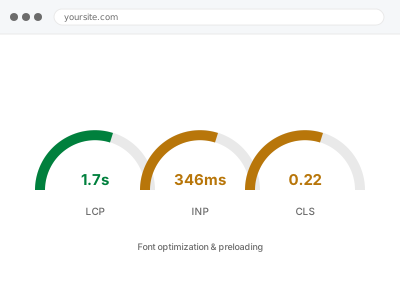
Web fonts are one of the more overlooked causes of slow-feeling pages — a font file has to download before text renders in it, and getting the loading strategy wrong means either invisible text while it loads, or text rendering in the wrong font first and visibly swapping once the real one arrives.
Preloading helps the fonts that matter, and can hurt if overused
Preloading tells the browser to fetch a resource early, which is exactly right for the one or two fonts used in your most visible text, and counterproductive if applied to every font file on the site, since it competes for the same early bandwidth other critical resources need.
Choosing which fonts to preload matters as much as preloading itself, and it’s a decision that has to be made per site rather than applied as a default setting across every font a theme happens to load.
It’s also worth knowing that icon fonts are a common blind spot — a small icon set loaded as a full font file, for a handful of symbols, is rarely worth preloading and sometimes worth replacing with SVG instead, which we’ll flag if we see it.
Third-party font services add their own wrinkle too: the connection to fetch the font is itself a delay before the font file can even start downloading, on top of the download itself, which is one of the clearer arguments for self-hosting where your license allows it.
Variable weight and italic styles are worth a specific mention too, since loading a separate file for every combination a theme technically supports, rather than only the ones actually used on the page, is a common source of unnecessary weight nobody set out to add deliberately, and one that’s easy to trim once it’s actually pointed out.
Font optimization & preloading
Text is invisible, or visibly swaps fonts, while your web fonts load. We fix the loading strategy for the fonts that actually matter.
- Full backup taken before we start
- If we can’t fix it, you get your money back
- We never ask for your own password
What we need from you
- Confirmation of which fonts are actually used in your most visible, above-the-fold text
- Whether you’re using a font service (Google Fonts, Adobe Fonts) or self-hosted files
- Any brand requirement that text must never appear in a fallback font, even briefly
- Access to the theme or builder controlling font loading
This or something else?
| Text invisible or delayed while fonts load | This fix covers it |
| Text visibly swapping fonts after the page appears | This fix covers it |
| Fonts loaded from a third-party service adding a separate connection delay | This fix covers it |
| General render-blocking resources, not specifically fonts | Render-blocking CSS & JS resolution |
| The whole page slow, fonts not specifically implicated | Slow site diagnostic report |
What we do
- Identify every font file currently loading and how each is being used
- Determine which fonts appear in above-the-fold, highly visible text
- Preload those specific fonts and set an appropriate font-display strategy for the rest
- Reduce font file weight where multiple weights or formats are loaded unnecessarily
- Test for visible flash or layout shift caused by font swapping
- Re-measure text render timing to confirm a real improvement
What is included
- Font loading strategy corrected for your most visible text
- Preloading applied specifically where it helps, not applied blanket
- Unnecessary font weights or formats trimmed where safe
- The pre-change backup, kept for 30 days
Not included
- Choosing new fonts or changing your brand typography
- Fixing render-blocking CSS unrelated to fonts specifically
- Ongoing adjustment as new fonts are added
- Third-party font service pricing or account management
Questions about this fix
Should I self-host my fonts instead of using Google Fonts?
Often yes, since it removes a separate connection to another server, but it depends on your setup — we tell you whether the switch is worth it for your specific site rather than applying it as a default recommendation.
What is font-display and why does it matter?
It's the setting that decides what happens while a font loads — show text in a fallback immediately, or hide it until the real font arrives. The right choice depends on your brand's tolerance for a brief fallback appearance versus invisible text.
Can preloading fonts ever slow things down?
Yes, if too many are preloaded at once — each one competes for early bandwidth with genuinely critical resources. We limit this to the one or two fonts that actually matter for first render.
Will this fix a visible font swap completely?
It reduces it significantly by loading the right font earlier, but a brief swap can still happen on a slow connection. Hiding text until the font loads avoids the swap at the cost of a delay, and which trade-off you prefer is your call.
Do variable fonts help with this?
They can, since one file covers multiple weights instead of loading several separate files, which is worth considering if your design uses more than two or three weights of the same typeface.
Related fixes
If this is the second time this year
A bad update breaking the site is a symptom of updates not being tested first. Care plans run every update on a staging clone before it reaches your live site, which is the actual fix for this happening again.
Your access, your rules
Create a separate admin account for us and delete it when we are done. For anything else, we get in touch and agree a method — never a form field on this site, never by reply to an email.
We back up first, always
Before anything is touched we take a full backup and keep it for 30 days. If a fix goes wrong, we put the site back exactly as it was.
If it is not what you bought
If the problem turns out smaller than what you ordered, we refund the difference. If it is bigger, we stop and send a quote before doing any extra work.
If we cannot fix it
You get back what we received. Diagnosis is on us — you only pay when the problem is actually solved. The payment processor takes its fee before the money reaches us, so we never hold it and it is not ours to return. That is true here as everywhere else.
If it comes back
Reply within seven days of delivery and we put it back on the bench at no cost. The fix is not finished until it holds.
What we are responsible for
If something goes wrong with a fix, our responsibility is limited to what you paid for it. We take a full backup first so mistakes can be undone, and we tell you before doing anything outside what you bought.