
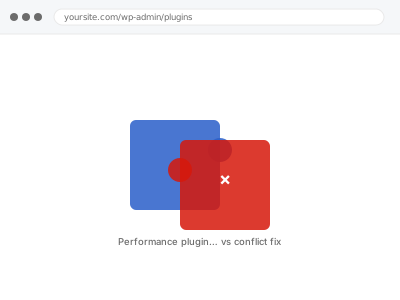
Performance plugins are supposed to make a site faster, and two of them running similar features at once — two caching layers, two minification tools, two image optimisers — often makes it slower instead, each one undoing or duplicating what the other just did. The plugin isn’t broken; it’s fighting another plugin doing the same job.
Before you buy, one quick look
Read-only. Go to Plugins → Installed Plugins and list every plugin whose job is speed-related: caching, minification, image optimisation, database cleanup.
More than one plugin covering the same category is worth naming specifically when you order, since that’s very often exactly where the conflict lives.
It’s worth checking dates too — a plugin installed a long time ago and forgotten about, sitting alongside a newer one doing the same job, is one of the more common ways this happens without anyone deciding to run two at once on purpose.
A hosting migration is another common trigger, since a new host sometimes bundles its own performance layer on top of whatever the site already had configured, and nobody notices the overlap until something starts behaving oddly weeks after the move, by which point the migration itself is rarely the first thing anyone suspects.
The safest habit is checking the full plugin inventory whenever anything changes at the hosting level, not just when you’re deliberately shopping for a new performance plugin — a lot of these conflicts start as a side effect of a decision that had nothing to do with performance at all.
Performance plugin configuration & conflict fix
Two or more performance plugins are fighting over the same job, making things slower instead of faster. We find the overlap and reconfigure so they work together.
- Full backup taken before we start
- If we can’t fix it, you get your money back
- We never ask for your own password
This or something else?
| More than one plugin covering the same performance category found active | This fix covers it |
| A single performance plugin installed but seemingly making things worse | This fix covers it |
| Site got slower immediately after installing or updating a performance plugin | This fix covers it |
| No specific plugin suspected, site just generally slow | Slow site diagnostic report |
| Caching not yet set up at all | Caching setup & configuration |
What you are seeing
- The site slower after installing a plugin meant to speed it up
- Pages looking broken — missing styles, layout shifted — after enabling an optimisation feature
- Two plugins each claiming to handle the same task, like minifying CSS
- Settings that seem to have no effect, or effects that reverse themselves
- Performance scores fluctuating without any content change
Common causes
- Two caching plugins both trying to generate and serve cached pages
- Minification happening twice, corrupting CSS or JavaScript in the process
- An image optimisation plugin and a CDN both trying to serve optimised images independently
- Conflicting cache-clearing behaviour, where one plugin invalidates what another just built
- A plugin’s aggressive default settings applied without checking what’s already active
What we do
- Inventory every performance-related plugin currently active and what each is configured to do
- Identify genuine overlaps where two plugins compete for the same job
- Decide which plugin should own each function and disable the duplicate feature in the other
- Reconfigure the remaining plugins so their settings complement rather than conflict
- Test the site thoroughly for visual and functional issues after reconfiguration
- Re-measure performance to confirm a real improvement, not just fewer conflicts
What is included
- Performance plugin conflicts identified and resolved
- A single, coherent configuration across whatever plugins remain active
- Visual and functional testing after changes
- The pre-fix backup, kept for 30 days
Not included
- Choosing which specific plugins you should use long-term, beyond resolving the conflict
- Fixing a plugin that’s simply badly built, beyond configuring around it
- Ongoing management as new performance plugins are added
- General speed work unrelated to plugin conflicts specifically
Questions about this fix
How many performance plugins is too many?
There's no fixed number, but more than one plugin covering the same specific job — two caching plugins, say — is almost always a problem rather than added protection. Complementary plugins covering different jobs are fine.
Should I just remove all but one?
Usually the simplest fix, yes, once we've established which one is doing its job well and which is redundant. We'd rather consolidate than leave both fighting each other.
Will removing a plugin lose its settings if I want it back later?
Deactivating keeps its data; deleting can remove settings depending on the plugin. We tell you which applies before removing anything, so you can decide.
Could this have been caused by a plugin update rather than installing something new?
Yes — an update can change default behaviour or turn on a feature that suddenly overlaps with something else you already had running, with no new installation involved at all.
Does this happen with security plugins too, not just performance ones?
It can, since some security plugins include their own caching or minification features, blurring the line — we check the full plugin list, not just ones explicitly labelled as performance tools.
Related fixes
If this is the second time this year
A bad update breaking the site is a symptom of updates not being tested first. Care plans run every update on a staging clone before it reaches your live site, which is the actual fix for this happening again.
Your access, your rules
Create a separate admin account for us and delete it when we are done. For anything else, we get in touch and agree a method — never a form field on this site, never by reply to an email.
We back up first, always
Before anything is touched we take a full backup and keep it for 30 days. If a fix goes wrong, we put the site back exactly as it was.
If it is not what you bought
If the problem turns out smaller than what you ordered, we refund the difference. If it is bigger, we stop and send a quote before doing any extra work.
If we cannot fix it
You get back what we received. Diagnosis is on us — you only pay when the problem is actually solved. The payment processor takes its fee before the money reaches us, so we never hold it and it is not ours to return. That is true here as everywhere else.
If it comes back
Reply within seven days of delivery and we put it back on the bench at no cost. The fix is not finished until it holds.
What we are responsible for
If something goes wrong with a fix, our responsibility is limited to what you paid for it. We take a full backup first so mistakes can be undone, and we tell you before doing anything outside what you bought.