
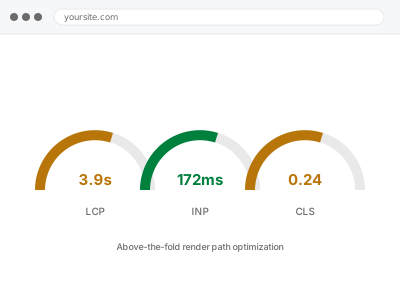
Everything above the fold has to be requested, downloaded and rendered before a visitor sees anything meaningful, and the order those things happen in matters as much as how fast each one loads individually. A hero image queued behind three tracking scripts, or a webfont blocking text from appearing until it downloads, delays the one thing a visitor actually came to see — even on a site that’s otherwise reasonably fast.
Before you buy, one quick look
Read-only. Load your homepage on a throttled connection — Chrome DevTools has a built-in “Slow 3G” preset under the Network tab — and watch what actually appears first.
If a cookie banner, an ad, or a tracking script visibly renders before your hero content, that’s the render path working against you rather than for you, and it’s worth naming which one you saw when you order.
This test is about sequence, not speed. A page can load quickly overall and still show the wrong thing first, which is a different problem from the page simply being slow, and one this specific check reveals that a plain speed score doesn’t.
It’s worth repeating the test on more than one template if your site has several distinct layouts, since a homepage and a product page can easily be built by different people at different times and inherit completely different render-order mistakes.
Above-the-fold render path optimization
Something other than your actual content renders first when the page loads — a banner, an ad, a slow font. We reorder what loads first so real content appears first.
- Full backup taken before we start
- If we can’t fix it, you get your money back
- We never ask for your own password
This or something else?
| Something other than your hero content visibly renders first on load | This fix covers it |
| Measured LCP or CLS specifically failing | Core Web Vitals remediation |
| Render-blocking files flagged by PageSpeed | Render-blocking CSS & JS resolution |
| The whole page is slow, not specifically what’s above the fold | Slow site diagnostic report |
| Fonts specifically the delay | Font optimization & preloading |
What you are seeing
- The hero image, heading or main content taking longer than it should to appear
- Other elements — banners, ads, cookie notices — rendering before the main content
- The page technically “loaded” quickly but feeling slow because the wrong thing showed first
- Layout that jumps or resettles as above-the-fold elements finish loading in the wrong order
- The problem present even on pages that otherwise pass most speed checks
Common causes
- Critical above-the-fold assets queued behind non-essential scripts in the load order
- A cookie banner, ad, or third-party embed with no priority given to real content ahead of it
- CSS structured so nothing above the fold can render until the entire stylesheet downloads
- A web font blocking text render instead of using a fallback while it loads
- No distinction anywhere in the build between what’s critical to the first view and what isn’t
What we do
- Identify what actually renders first on the affected templates, not just what should
- Map the load order of every above-the-fold asset against what a visitor sees
- Reprioritise critical assets ahead of anything non-essential competing for the same bandwidth
- Correct font and image loading so real content isn’t blocked behind either
- Re-test render order specifically, not just an overall load time number
- Confirm the fix holds across every template sharing the same above-the-fold structure
What is included
- Render order corrected so real content appears first, verified visually
- Above-the-fold assets reprioritised ahead of non-essential scripts and embeds
- Before-and-after comparison of what renders first
- The pre-fix backup, kept for 30 days
Not included
- General Core Web Vitals remediation beyond render order specifically
- Removing the cookie banner, ad, or embed itself, which stays your call
- Below-the-fold optimisation, which is a different, lower-priority concern
- Design changes to what appears above the fold
Questions about this fix
Isn't this the same as Core Web Vitals remediation?
Related but narrower — Core Web Vitals remediation targets a specific measured score. This targets the actual sequence of what renders first, which is often the underlying cause behind a poor LCP but can matter even when your Core Web Vitals already pass.
Can a cookie banner really cause this?
Yes, and it's one of the more common culprits — many consent tools inject themselves at the very top of the page with no thought given to what should render before them, since the banner is usually built by a team focused only on the banner.
Will fixing render order slow anything else down?
No — this reorders what loads when, it doesn't add work. Anything currently loading later still loads, just after the content a visitor actually needs to see first.
Does this apply differently on mobile vs desktop?
The principle is the same, but mobile's slower typical connection makes render order mistakes more visible — something that loads acceptably fast on desktop broadband can noticeably delay content on a mobile connection.
How do I know if this is actually my problem?
The quick test above is the fastest way to check — if the wrong thing visibly renders first on a throttled connection, this is likely relevant regardless of what your overall speed score says.
Related fixes
If this is the second time this year
A bad update breaking the site is a symptom of updates not being tested first. Care plans run every update on a staging clone before it reaches your live site, which is the actual fix for this happening again.
Your access, your rules
Create a separate admin account for us and delete it when we are done. For anything else, we get in touch and agree a method — never a form field on this site, never by reply to an email.
We back up first, always
Before anything is touched we take a full backup and keep it for 30 days. If a fix goes wrong, we put the site back exactly as it was.
If it is not what you bought
If the problem turns out smaller than what you ordered, we refund the difference. If it is bigger, we stop and send a quote before doing any extra work.
If we cannot fix it
You get back what we received. Diagnosis is on us — you only pay when the problem is actually solved. The payment processor takes its fee before the money reaches us, so we never hold it and it is not ours to return. That is true here as everywhere else.
If it comes back
Reply within seven days of delivery and we put it back on the bench at no cost. The fix is not finished until it holds.
What we are responsible for
If something goes wrong with a fix, our responsibility is limited to what you paid for it. We take a full backup first so mistakes can be undone, and we tell you before doing anything outside what you bought.