
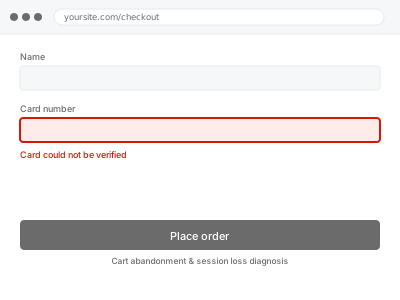
A cart lives in a session, and a session depends on a cookie the browser keeps and the server recognises. Caching, a CDN, a domain change or an overzealous privacy setting can each break that chain. The customer sees an empty cart and leaves, and it shows up in your analytics as abandonment rather than as a fault.
Before you buy, one quick test
In a private window, add something to the cart. Browse a few pages. Then go to the cart.
Cart is empty — sessions are breaking, and this is the right fix.
Cart holds while browsing but empties at checkout — that is more likely a checkout problem than a session one.
Try it on mobile too. Session problems often affect one device or browser and not others, which is a strong clue.
Cart abandonment & session loss diagnosis
Carts empty themselves or customers are logged out mid-purchase. We find what is breaking the session and fix it so carts survive to checkout.
- Full backup taken before we start
- If we can’t fix it, you get your money back
- We never ask for your own password
This or something else?
| Cart empties while browsing | This fix covers it |
| Cart holds but checkout fails | Checkout failure diagnosis |
| Customers logged out repeatedly | This fix covers it |
| Abandonment high with no visible fault | This fix covers it |
| You want abandoned cart emails | Abandoned cart plugin configuration |
What you are seeing
- Carts emptying between pages or before checkout
- Customers being logged out unexpectedly
- Abandonment rates higher than the store’s history explains
- It may affect only some browsers, devices or logged-out visitors
- Applied coupons disappearing before checkout
Common causes
- Page caching serving cached pages that include a stale cart state
- A CDN stripping or not forwarding the session cookie
- Cart fragments cached when they must not be
- Session data stored somewhere being cleared too aggressively
- A domain or SSL change leaving cookies scoped to the wrong host
What we do
- Take a full backup before touching anything
- Reproduce the loss as a customer, across devices and browsers
- Trace how the session cookie is set, stored and read
- Check caching and CDN rules for anything caching cart state
- Correct exclusions and cookie handling so carts persist
- Verify carts survive browsing, refreshes and the full checkout flow
What is included
- Carts persisting reliably through to checkout, tested
- Caching and CDN rules corrected around cart and checkout
- A note on what was clearing the session
- The pre-fix backup, kept for 30 days
Not included
- Abandoned cart recovery emails, which are a separate service
- Conversion rate optimisation or checkout redesign
- Recovering carts that were lost before we were involved
- Design changes or content work
Questions about this fix
Could this be why my sales dropped?
Very possibly, and it is worth checking before assuming it was traffic or the market. A broken cart looks exactly like abandonment in analytics, and stores often live with it for months while blaming demand.
It works for me. Why would it fail for customers?
Because you are logged in and bypass page caching entirely. Cached pages are served to logged-out visitors, and that is where cart state gets frozen. Testing logged out is essential and rarely done.
Will fixing this slow the site down?
Slightly, and unavoidably. Cart and checkout must not be cached — that is what breaks them. The rest of the site still caches fully, so the impact is limited to pages that were never safe to cache anyway.
Cloudflare is in front of my site. Does that matter?
It is one of the most common causes. Cloudflare will cache aggressively unless told not to, and cart pages need explicit exclusion. It is a settings fix on both sides and part of what we check.
Does logging in instead of checking out as a guest change anything?
It can, since a logged-in account has its own separate session handling from a guest cart — if the problem only affects one and not the other, that's a useful clue about where in the chain it's breaking.
Related fixes
If this is the second time this year
A bad update breaking the site is a symptom of updates not being tested first. Care plans run every update on a staging clone before it reaches your live site, which is the actual fix for this happening again.
Your access, your rules
Create a separate admin account for us and delete it when we are done. For anything else, we get in touch and agree a method — never a form field on this site, never by reply to an email.
We back up first, always
Before anything is touched we take a full backup and keep it for 30 days. If a fix goes wrong, we put the site back exactly as it was.
If it is not what you bought
If the problem turns out smaller than what you ordered, we refund the difference. If it is bigger, we stop and send a quote before doing any extra work.
If we cannot fix it
You get back what we received. Diagnosis is on us — you only pay when the problem is actually solved. The payment processor takes its fee before the money reaches us, so we never hold it and it is not ours to return. That is true here as everywhere else.
If it comes back
Reply within seven days of delivery and we put it back on the bench at no cost. The fix is not finished until it holds.
What we are responsible for
If something goes wrong with a fix, our responsibility is limited to what you paid for it. We take a full backup first so mistakes can be undone, and we tell you before doing anything outside what you bought.