
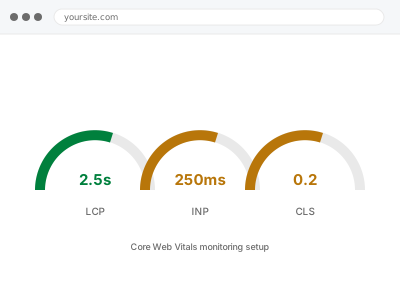
We configure ongoing Core Web Vitals monitoring, tracking your site’s real-world performance metrics over time rather than a single point-in-time check — and because this runs continuously after we leave, the same ownership question applies: we set up the tracking and alerting, watching it and acting on what it shows is yours going forward.
Core Web Vitals monitoring setup
Core Web Vitals tracked over time, not just a single snapshot — watching it stays with you.
- Full backup taken before we start
- If we can’t fix it, you get your money back
- We never ask for your own password
What we need from you
- Access to Search Console, or your chosen monitoring service, for ongoing Core Web Vitals data
- Confirmation of any specific pages or page groups you want tracked most closely
- Confirmation of who should review this data or receive alerts on significant degradation
This or something else?
| You want ongoing Core Web Vitals monitoring configured, tracking performance over time | This fix covers it |
| You want a one-time Core Web Vitals report from existing Search Console data, not ongoing monitoring setup | Core Web Vitals report from Search Console data, in the Technical SEO Implementation category, the point-in-time version |
| You want a full page experience report with a remediation plan, not just ongoing tracking | Page experience & CWV report remediation plan, in the Search Console & Index Operations category |
| You already have specific, known performance issues to fix, not monitoring to set up | The relevant specific performance fix instead |
What we do
- Confirm which pages or page groups need tracking priority
- Configure ongoing monitoring using Search Console data, a dedicated service, or both
- Set up alerting for significant degradation, where the tooling supports it
- Test that alerting behaves correctly
- Verify normal performance fluctuation doesn’t produce excessive false alerts
- Document how to review the ongoing data and confirm monitoring remains active
What is included
- Ongoing Core Web Vitals monitoring configured
- Alerting set up for significant degradation, where supported
- Tested alert behaviour
- Written documentation on reviewing data and confirming continued operation
Not included
- Ongoing, indefinite review of the monitoring data by us — that responsibility transfers to you
- Fixing performance issues the monitoring reveals — a separate, related fix each time
- A one-time report from existing data, a separate, simpler product if that’s genuinely all you need
- Paying for or managing a third-party monitoring service’s subscription, which remains yours directly
Questions about this fix
Who's responsible for actually reviewing this data over time?
You or your team — we configure the tracking and any available alerting, but the ongoing habit of reviewing performance trends and deciding when something needs attention is a responsibility that transfers to you once this is set up.
How is this different from the one-time Core Web Vitals report?
That report is a snapshot based on existing data at one point in time; this fix sets up genuinely ongoing tracking so you can see trends and get alerted to meaningful degradation as it happens, rather than only checking periodically.
Will I get an alert for every small performance fluctuation?
We test specifically to avoid this, tuning alerting to flag genuinely significant degradation rather than normal, expected variation — a monitoring setup that cries wolf constantly quickly gets ignored, which defeats its purpose.
What happens if this monitoring stops working and nobody notices?
The same risk applies here as any ongoing monitoring — a silent failure looks like good, stable performance rather than an active problem, which is why we document how to periodically confirm the tracking itself is still genuinely active.
Does this replace needing Search Console at all?
No, Search Console often remains a valuable underlying data source even with additional monitoring layered on top — this fix makes better, more proactive use of that data rather than replacing the platform itself.
Related fixes
If this is the second time this year
A bad update breaking the site is a symptom of updates not being tested first. Care plans run every update on a staging clone before it reaches your live site, which is the actual fix for this happening again.
Your access, your rules
Create a separate admin account for us and delete it when we are done. For anything else, we get in touch and agree a method — never a form field on this site, never by reply to an email.
We back up first, always
Before anything is touched we take a full backup and keep it for 30 days. If a fix goes wrong, we put the site back exactly as it was.
If it is not what you bought
If the problem turns out smaller than what you ordered, we refund the difference. If it is bigger, we stop and send a quote before doing any extra work.
If we cannot fix it
You get back what we received. Diagnosis is on us — you only pay when the problem is actually solved. The payment processor takes its fee before the money reaches us, so we never hold it and it is not ours to return. That is true here as everywhere else.
If it comes back
Reply within seven days of delivery and we put it back on the bench at no cost. The fix is not finished until it holds.
What we are responsible for
If something goes wrong with a fix, our responsibility is limited to what you paid for it. We take a full backup first so mistakes can be undone, and we tell you before doing anything outside what you bought.