
We configure the DNS records — MX, SPF, DKIM — that route your domain’s email correctly through Google Workspace, getting this wrong is one of the most common ways a domain’s email stops working entirely or lands in spam, which is why we verify each record carefully rather than treating this as a quick, low-stakes change.
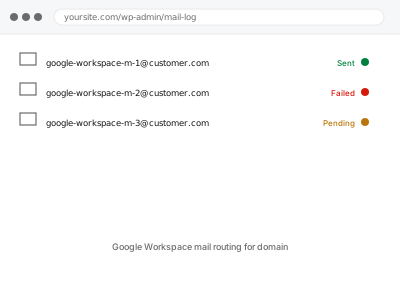
Google Workspace mail routing for domain
MX, SPF, and DKIM configured correctly so Google Workspace actually routes your domain's mail.
- Full backup taken before we start
- If we can’t fix it, you get your money back
- We never ask for your own password
What we need from you
- Access to your domain’s DNS management at your registrar or DNS provider
- A Google Workspace account already set up, or confirmation you’re setting one up alongside this
- Confirmation of any existing email service on this domain that needs to be considered during the transition
This or something else?
| You want your domain’s DNS correctly configured to route mail through Google Workspace | This fix covers it |
| You want general DNS or nameserver changes unrelated to mail routing | Registrar-level DNS & nameserver changes, the broader version |
| You’re setting up Google Workspace itself for the first time, not just the DNS side | We handle the DNS configuration specifically; account setup within Google Workspace itself may need separate confirmation |
| Email is already routing through Google Workspace but landing in spam | Worth checking Email deliverability fixes — SPF/DKIM/DMARC configuration specifically, a related, complementary concern |
What we do
- Confirm your Google Workspace account is ready to receive mail for this domain
- Document existing email-related DNS records before making changes
- Configure MX records to route mail through Google Workspace correctly
- Set up SPF and DKIM records for proper authentication
- Verify mail delivery works correctly in both directions after the change
- Monitor for any delivery issues during the transition period
What is included
- DNS records configured correctly for Google Workspace mail routing
- SPF and DKIM authentication set up
- Verified mail delivery in both directions
- Monitoring through the transition period
Not included
- Setting up the Google Workspace account itself, if not already done — a separate, prerequisite step
- DMARC policy configuration, a separate, related, complementary fix if not already in place
- Migrating existing email content or mailboxes from a previous provider
- Ongoing email administration as a standing service
Questions about this fix
Will my email stop working during this change?
If existing records are documented carefully and new ones verified before considering the change complete, disruption should be minimal — DNS propagation can introduce a brief window of inconsistency, which is expected rather than a sign of an error.
What happens to my old email service during this transition?
We'd confirm this with you specifically, since the transition approach differs depending on whether you're moving away from an existing service or adding Google Workspace to a domain that didn't have email configured before.
Why do I need SPF and DKIM, not just the MX record?
MX records tell the internet where to deliver mail; SPF and DKIM authenticate that mail claiming to be from your domain is genuinely legitimate — skipping them significantly increases the chance your outgoing mail lands in recipients' spam folders.
Could this affect other services using the same domain, like my website?
Mail-related DNS records are specific to email routing and shouldn't affect your website's own DNS records, though we verify nothing else is inadvertently disrupted during the change.
Do I need DMARC too, or is this enough?
SPF and DKIM are the core requirements for mail routing; DMARC is a valuable, complementary addition that builds on both — worth considering as a follow-up if it's not already in place.
Related fixes
If this is the second time this year
A bad update breaking the site is a symptom of updates not being tested first. Care plans run every update on a staging clone before it reaches your live site, which is the actual fix for this happening again.
Your access, your rules
Create a separate admin account for us and delete it when we are done. For anything else, we get in touch and agree a method — never a form field on this site, never by reply to an email.
We back up first, always
Before anything is touched we take a full backup and keep it for 30 days. If a fix goes wrong, we put the site back exactly as it was.
If it is not what you bought
If the problem turns out smaller than what you ordered, we refund the difference. If it is bigger, we stop and send a quote before doing any extra work.
If we cannot fix it
You get back what we received. Diagnosis is on us — you only pay when the problem is actually solved. The payment processor takes its fee before the money reaches us, so we never hold it and it is not ours to return. That is true here as everywhere else.
If it comes back
Reply within seven days of delivery and we put it back on the bench at no cost. The fix is not finished until it holds.
What we are responsible for
If something goes wrong with a fix, our responsibility is limited to what you paid for it. We take a full backup first so mistakes can be undone, and we tell you before doing anything outside what you bought.