
Setting up GA4 properly means more than pasting a measurement ID into a plugin field — it means creating the property correctly in the first place, connecting it to the right data stream, and confirming the connection actually reports data before considering it done, since a plugin can report “connected” while nothing is actually reaching Google.
What we confirm before calling it connected
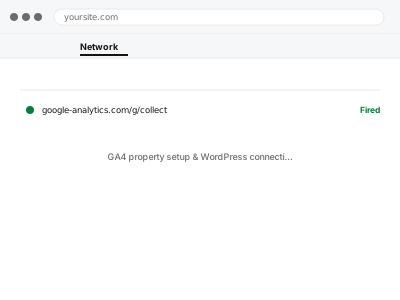
A green checkmark in a plugin’s settings screen means the plugin thinks it’s configured, not that data is actually arriving — we verify the connection with GA4’s own DebugView and Realtime report before treating the setup as complete, since that’s the only place a genuine confirmation exists.
GA4 property setup & WordPress connection
A GA4 property created and connected properly, with the connection verified in DebugView, not just a plugin's own claim it's done.
- Full backup taken before we start
- If we can’t fix it, you get your money back
- We never ask for your own password
What we need from you
- Whether you already have a Google account and GA4 property, or need one created
- Confirmation of the exact domain(s) that should be tracked
- Whether you want Google Tag Manager involved, or a direct connection
This or something else?
| You need GA4 set up and properly connected for the first time | This fix covers it |
| GA4 is set up but has stopped tracking | GA4 not tracking – diagnosis & fix |
| You already have GA4 and want ecommerce tracking added | WooCommerce GA4 ecommerce tracking setup |
| You want Tag Manager set up as the connection method | Google Tag Manager container setup, a related fix |
| You’re migrating from Universal Analytics, which no longer exists | This fix covers the GA4 side; no data migrates from the old system |
What we do
- Create the GA4 property and data stream if they don’t already exist
- Connect WordPress to the property using the appropriate method
- Verify the measurement ID matches exactly between the site and GA4
- Confirm data arrives using DebugView and Realtime
- Set up basic recommended events if relevant to your site type
- Document the connection method used, for future reference
What is included
- A correctly configured GA4 property connected to your site
- Verified data flow, confirmed in DebugView and Realtime
- Basic recommended event tracking, where relevant
- A written note on how the connection works
Not included
- Ecommerce-specific tracking, a separate, more involved fix
- Custom conversion event configuration beyond basics
- Migrating historical data from a previous analytics setup, which isn’t possible with GA4
- Ongoing report analysis or interpretation of your data
Questions about this fix
I already have Universal Analytics data — can that come across to GA4?
No — GA4 and Universal Analytics are separate systems with incompatible data models, so historical UA data stays where it is and GA4 starts fresh from when it's connected.
Do I need a Google Ads account too, or is this separate?
Separate — GA4 tracks your site's own analytics; Google Ads is only involved if you're running ads and want conversion data flowing between the two, which is a different fix.
Will this slow my site down?
Minimally — a single, correctly installed tag has a small, generally unnoticeable performance cost, especially compared to the cost of duplicate or badly implemented tracking, which we specifically avoid.
Can I have more than one person access the GA4 account?
Yes, and it's worth setting up properly from the start — we can add you with full access and anyone else you specify with the appropriate permission level.
What if I don't have a Google account at all?
That's fine, we can walk you through creating one, or set everything up under an account you create yourself if you'd rather retain sole ownership from day one.
Related fixes
If this is the second time this year
A bad update breaking the site is a symptom of updates not being tested first. Care plans run every update on a staging clone before it reaches your live site, which is the actual fix for this happening again.
Your access, your rules
Create a separate admin account for us and delete it when we are done. For anything else, we get in touch and agree a method — never a form field on this site, never by reply to an email.
We back up first, always
Before anything is touched we take a full backup and keep it for 30 days. If a fix goes wrong, we put the site back exactly as it was.
If it is not what you bought
If the problem turns out smaller than what you ordered, we refund the difference. If it is bigger, we stop and send a quote before doing any extra work.
If we cannot fix it
You get back what we received. Diagnosis is on us — you only pay when the problem is actually solved. The payment processor takes its fee before the money reaches us, so we never hold it and it is not ours to return. That is true here as everywhere else.
If it comes back
Reply within seven days of delivery and we put it back on the bench at no cost. The fix is not finished until it holds.
What we are responsible for
If something goes wrong with a fix, our responsibility is limited to what you paid for it. We take a full backup first so mistakes can be undone, and we tell you before doing anything outside what you bought.