
Site Kit is Google’s own plugin for connecting several of its services to WordPress at once — Analytics, Search Console, AdSense, Tag Manager — and when the connection breaks, it’s often specific to one service rather than the plugin as a whole, showing an error for GA4 while Search Console keeps working fine, or the reverse.
Check which specific service shows the error
Open Site Kit’s dashboard in wp-admin and look at each connected service individually, not just the summary view — a single service showing “not connected” or an authentication error, while others show data normally, tells us the failure is scoped to that one service’s connection rather than the whole plugin.
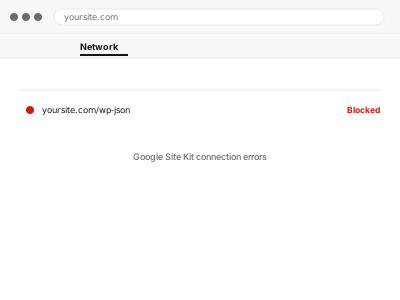
Google Site Kit connection errors
One Site Kit connection broken while others work fine — we isolate which service actually failed.
- Full backup taken before we start
- If we can’t fix it, you get your money back
- We never ask for your own password
This or something else?
| One or more Site Kit connections show an error or “not connected” | This fix covers it |
| Site Kit shows connected but the underlying service (GA4, Search Console) isn’t actually working | This fix covers it; we check both layers |
| You don’t use Site Kit at all, and have a direct GA4 or Search Console issue | GA4 not tracking – diagnosis & fix, or the Search Console equivalent |
| Site Kit itself won’t load or activate at all | A different, plugin-conflict diagnosis |
What you are seeing
- A specific service in Site Kit showing “not connected” or an authentication error
- Data missing from Site Kit’s dashboard for one service while others work
- An error appearing after a WordPress or Site Kit update
- The connection having worked previously and then stopped without any known change
Common causes
- An expired or revoked authentication token for one specific Google service
- The Google account originally used to connect no longer having access to the property
- A Site Kit update changing how a connection is authenticated, breaking the existing link
- A security plugin blocking the API calls Site Kit needs to make
- The underlying GA4 property or Search Console verification itself having been removed on Google’s side
What we do
- Identify exactly which service’s connection is failing
- Check whether the issue is Site Kit’s own authentication or the underlying Google service
- Re-authenticate the affected connection
- Verify data flows correctly after reconnecting
- Check other connected services aren’t affected by the same underlying cause
- Confirm Site Kit’s dashboard reflects accurate, current data
What is included
- The specific connection error identified and fixed
- Verified data flow for the affected service
- Other connections checked to rule out a shared cause
- A note on what caused the disconnection, if determinable
Not included
- Setting up a new Google service Site Kit doesn’t already have configured
- Fixing an issue with the underlying Google account itself, such as suspension
- Migrating away from Site Kit to a different plugin
- Ongoing monitoring for future disconnections
Questions about this fix
Why would Site Kit disconnect on its own with no changes made?
Authentication tokens can expire or be revoked on Google's side independent of anything happening on your site, which is a common, unglamorous cause worth ruling out first.
Does this affect all Site Kit users on my site, or just the admin who connected it?
It's usually the connection itself that breaks, not user-specific, though we check that distinction as part of confirming exactly what's failing.
Will reconnecting lose any historical data in the dashboard?
No — Site Kit displays data that lives in GA4 and Search Console themselves, so reconnecting just restores the plugin's ability to show it, not the data itself.
Should I just disconnect and reconnect it myself?
You can try, and sometimes that resolves it — if it doesn't after one attempt, further retries rarely help and this fix looks at the actual underlying cause instead.
Can this happen again after you fix it?
It's possible if the same underlying cause recurs, such as another Google-side token expiry — we'll tell you honestly if what caused it is likely to happen again.
Related fixes
If this is the second time this year
A bad update breaking the site is a symptom of updates not being tested first. Care plans run every update on a staging clone before it reaches your live site, which is the actual fix for this happening again.
Your access, your rules
Create a separate admin account for us and delete it when we are done. For anything else, we get in touch and agree a method — never a form field on this site, never by reply to an email.
We back up first, always
Before anything is touched we take a full backup and keep it for 30 days. If a fix goes wrong, we put the site back exactly as it was.
If it is not what you bought
If the problem turns out smaller than what you ordered, we refund the difference. If it is bigger, we stop and send a quote before doing any extra work.
If we cannot fix it
You get back what we received. Diagnosis is on us — you only pay when the problem is actually solved. The payment processor takes its fee before the money reaches us, so we never hold it and it is not ours to return. That is true here as everywhere else.
If it comes back
Reply within seven days of delivery and we put it back on the bench at no cost. The fix is not finished until it holds.
What we are responsible for
If something goes wrong with a fix, our responsibility is limited to what you paid for it. We take a full backup first so mistakes can be undone, and we tell you before doing anything outside what you bought.