
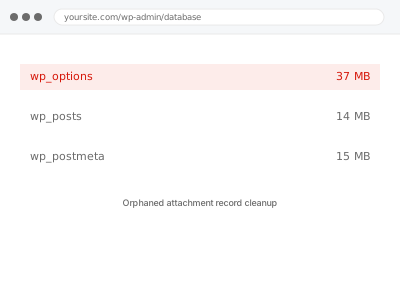
Every image, document or file you upload creates a database record alongside the physical file on disk, and the two are supposed to stay linked. When a file is deleted outside WordPress, or a record survives a failed deletion, one half of that pair goes missing — leaving either a database entry pointing at a file that no longer exists, or a file with no record referencing it at all.
Before you buy, one quick look
Read-only. Go to Media → Library and click the “Unattached” filter link, which WordPress provides natively.
A large number of items there — media never attached to any post, page or product — is a strong sign of exactly the kind of orphaned or leftover attachment data this fix addresses, though not every unattached item is necessarily a problem on its own.
Worth a rough count rather than an exact one at this stage — dozens is unremarkable on most sites, hundreds or thousands is worth mentioning when you order, since it changes how we scope the initial pass and roughly how long the cleanup itself will take.
It’s also worth knowing this tends to compound with other database bloat rather than existing in isolation — a site carrying a lot of orphaned attachment data has often gone a similarly long time without any of its other routine housekeeping being done either.
Orphaned attachment record cleanup
Your Media Library's Unattached filter shows a large number of orphaned files or records. We identify what's genuinely broken and clean it up safely.
- Full backup taken before we start
- If we can’t fix it, you get your money back
- We never ask for your own password
This or something else?
| A large number of items showing under Media Library’s “Unattached” filter | This fix covers it |
| Broken images specifically appearing on the front end | Broken or missing image restoration |
| General media library size or organisation, not orphaned records specifically | Media library reorganization |
| Database size generally large, media not specifically implicated | Database size audit & reduction report |
| A single missing image you can identify and re-upload yourself | Try that first; buy this if it’s a wider pattern |
What you are seeing
- A high number of items under the Media Library’s Unattached filter
- Database records referencing files that no longer exist on disk
- Files present on disk with no corresponding, functioning database record
- Media library performance slowing as the library grows disproportionately to actual visible content
- Storage or backup size larger than your actual media usage would suggest
Common causes
- Files deleted via FTP or a hosting file manager without going through WordPress’s own deletion process
- A failed or interrupted media deletion leaving a partial record behind
- A migration that moved files but didn’t correctly update the paths recorded in the database
- A plugin generating attachment records for temporary or processing files never meant to persist
- Theme or builder changes leaving old, no-longer-referenced media in place
What we do
- Identify attachment records pointing at files that no longer exist on disk
- Identify files on disk with no valid corresponding database record
- Confirm nothing currently in use is affected before removing anything
- Clear genuinely orphaned records and, where appropriate, orphaned files
- Correct any path mismatches found rather than just removing what looks broken
- Re-check the Unattached filter and disk usage to confirm a real reduction
What is included
- Orphaned attachment records and files identified and cleared
- Path mismatches corrected where the file exists but was disconnected from its record
- Confirmation that nothing currently in use was affected
- The pre-cleanup backup, kept for 30 days
Not included
- Restoring images that are genuinely, permanently lost with no backup available
- General media library reorganisation or folder structuring
- Bulk image optimisation, which is a separate, unrelated fix
- Ongoing monitoring as new media is uploaded
Questions about this fix
Will this delete images I actually use?
No — we confirm an attachment is genuinely orphaned, meaning nothing references it and no valid file backs it, before removing anything. Media actually in use anywhere on the site is left alone.
Is everything under "Unattached" automatically a problem?
No — some legitimately unattached media is fine, like images kept for future use. We look deeper than the filter itself to confirm which items are genuinely broken or orphaned versus simply unattached but valid.
Can this recover a file that's actually missing?
Only if it exists somewhere recoverable, like a recent backup. If the physical file is genuinely gone with no backup, we can clean up the broken database record, but we can't restore what no longer exists anywhere.
Will this free up storage space?
Where orphaned files still exist on disk without a valid record, yes. Where it's the reverse — a record with no file — the database gets tidier but storage usage doesn't change, since there was nothing physical to remove.
How does this happen if I only ever use the WordPress media library?
Even careful use isn't immune — a plugin, a migration, or an interrupted process can create this mismatch without any manual file manager use on your part at all.
Related fixes
If this is the second time this year
A bad update breaking the site is a symptom of updates not being tested first. Care plans run every update on a staging clone before it reaches your live site, which is the actual fix for this happening again.
Your access, your rules
Create a separate admin account for us and delete it when we are done. For anything else, we get in touch and agree a method — never a form field on this site, never by reply to an email.
We back up first, always
Before anything is touched we take a full backup and keep it for 30 days. If a fix goes wrong, we put the site back exactly as it was.
If it is not what you bought
If the problem turns out smaller than what you ordered, we refund the difference. If it is bigger, we stop and send a quote before doing any extra work.
If we cannot fix it
You get back what we received. Diagnosis is on us — you only pay when the problem is actually solved. The payment processor takes its fee before the money reaches us, so we never hold it and it is not ours to return. That is true here as everywhere else.
If it comes back
Reply within seven days of delivery and we put it back on the bench at no cost. The fix is not finished until it holds.
What we are responsible for
If something goes wrong with a fix, our responsibility is limited to what you paid for it. We take a full backup first so mistakes can be undone, and we tell you before doing anything outside what you bought.