
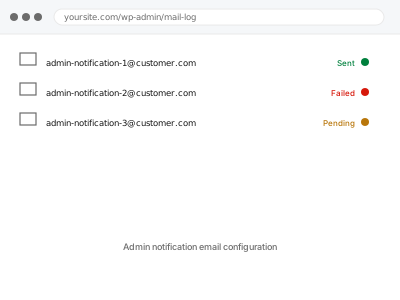
WordPress and WooCommerce both send administrative notifications by default — new orders, low stock, comments, updates — usually all to one address with no way to route different types to different people, which becomes a real problem the moment more than one person needs to see some notifications but not others.
Admin notification email configuration
Admin notifications routed to the right person, and the ones nobody wants turned off.
- Full backup taken before we start
- If we can’t fix it, you get your money back
- We never ask for your own password
What we need from you
- Which notifications you currently get, and which ones you actually want
- Who should receive which type, if you want them split between people
- Whether you want any notifications turned off entirely
This or something else?
| You want admin notifications configured, split, or reduced | This fix covers it |
| You want customer-facing order emails changed | WooCommerce order email deliverability fix, or the branding fix, depending on what’s wrong |
| Notifications aren’t arriving at all | A deliverability diagnosis, not a configuration change |
| You want an email log to review what’s actually being sent | Email log installation & monitoring |
What we do
- Review every current admin notification type and where it currently goes
- Confirm which notifications you actually want kept, split, or disabled
- Configure routing so each type reaches the right address
- Disable anything you’ve confirmed you don’t want
- Send test triggers for each notification type to confirm correct routing
- Document the final configuration for future reference
What is included
- Admin notifications configured to go where you actually want them
- Unwanted notification types disabled
- Testing to confirm each type routes correctly
- A written record of the final configuration
Not included
- Building new notification types that don’t already exist in WordPress or your plugins
- Customer-facing email changes, which are a separate fix
- Ongoing changes as your team changes, beyond this initial setup
- Fixing a notification that isn’t sending at all, which is a deliverability issue
Questions about this fix
Can different people get different types of notifications?
Yes, that's usually the actual goal — most sites default everything to one address, and splitting it by type is a common, sensible request.
Will turning off a notification type delete any data?
No — disabling a notification just stops the email being sent; the underlying event (an order, a comment) is still recorded exactly as normal.
What if I'm not sure which notifications currently exist?
That's fine and common — reviewing what's actually being sent right now is the first step, and often surfaces notifications nobody realised were active.
Can this route notifications to a Slack channel or tool instead of email?
Sometimes, depending on what you use — some tools accept notifications via email forwarding, which we can set up; a direct integration would be a separate job.
Will new plugins I install later add their own notifications automatically?
Often yes, plugins tend to default their own notifications on — worth reviewing again after adding anything new that might send its own alerts.
Related fixes
If this is the second time this year
A bad update breaking the site is a symptom of updates not being tested first. Care plans run every update on a staging clone before it reaches your live site, which is the actual fix for this happening again.
Your access, your rules
Create a separate admin account for us and delete it when we are done. For anything else, we get in touch and agree a method — never a form field on this site, never by reply to an email.
We back up first, always
Before anything is touched we take a full backup and keep it for 30 days. If a fix goes wrong, we put the site back exactly as it was.
If it is not what you bought
If the problem turns out smaller than what you ordered, we refund the difference. If it is bigger, we stop and send a quote before doing any extra work.
If we cannot fix it
You get back what we received. Diagnosis is on us — you only pay when the problem is actually solved. The payment processor takes its fee before the money reaches us, so we never hold it and it is not ours to return. That is true here as everywhere else.
If it comes back
Reply within seven days of delivery and we put it back on the bench at no cost. The fix is not finished until it holds.
What we are responsible for
If something goes wrong with a fix, our responsibility is limited to what you paid for it. We take a full backup first so mistakes can be undone, and we tell you before doing anything outside what you bought.