
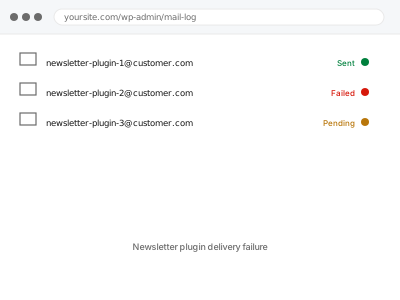
A newsletter or email marketing plugin usually sends through its own connection to a mailing service, separate from WordPress’s regular transactional mail — which means a newsletter can fail to deliver for entirely different reasons than your order confirmations or contact form, even though both are “email” from the same site.
Check the campaign’s own delivery report
Most newsletter plugins and connected services (Mailchimp, Mailpoet, Sendinblue and similar) show a delivery report per campaign, listing sent, bounced, and failed counts.
Open the report for a recent send and see whether it shows as fully delivered with poor opens, or as actually failing to send — those are very different problems, and the report usually tells you which one you have before we even start.
Newsletter plugin delivery failure
A newsletter or campaign failing to deliver or bouncing heavily, diagnosed against its own delivery report.
- Full backup taken before we start
- If we can’t fix it, you get your money back
- We never ask for your own password
This or something else?
| A newsletter or campaign shows as failing to send, or bouncing heavily | This fix covers it |
| Campaign sends fine but open rates are just low | Not a delivery problem; a content or audience question instead |
| Regular transactional emails (orders, password resets) are the ones failing | A different, transactional-email diagnosis |
| You’re setting up a newsletter service for the first time, not fixing an existing one | Transactional email service integration, though for marketing rather than transactional mail |
| Only some subscribers are affected, not the whole list | This fix covers it; worth checking if it’s a specific domain pattern |
What you are seeing
- A campaign report showing high bounce or failure rates
- Subscribers confirming they never received an email you sent
- The service’s own dashboard flagging an authentication or reputation warning
- It may affect the whole list or cluster around specific email providers
- May have started after switching services, changing a sending domain, or list growth
Common causes
- The newsletter service’s own sending domain not properly authenticated with SPF/DKIM
- A large number of invalid or outdated addresses on the list inflating the bounce rate
- The connected API key or integration between WordPress and the service expiring or breaking
- Sending reputation damaged by a previous send that triggered spam complaints
- List growth outpacing the service’s sending limits on your current plan
What we do
- Review the specific campaign’s delivery report for the actual failure pattern
- Check authentication for the newsletter service’s sending domain
- Confirm the connection between WordPress and the service is working correctly
- Identify and flag clearly invalid addresses contributing to bounce rate
- Send a test campaign to confirm delivery is restored
- Report on sending reputation and any lasting flags from the service
What is included
- The cause of delivery failure identified
- Authentication corrected if that was the issue
- The WordPress-to-service connection confirmed working
- A report on list health and any addresses worth removing
Not included
- Cleaning your subscriber list of every invalid address, a larger, separate task if extensive
- Improving open or click rates, a content and audience question, not delivery
- The email service’s own subscription costs or plan limits
- Recovering a sending reputation already flagged as abusive by the service itself, which it alone controls
Questions about this fix
Is this the same as my regular WordPress emails not working?
Usually not — a newsletter service typically sends through its own separate connection, so this can be broken while order confirmations work perfectly fine, or the reverse.
Could my subscriber list itself be the problem?
Yes, if it's accumulated a lot of old or invalid addresses over time — a high bounce rate from bad addresses can trigger the same reputation problems as a technical misconfiguration.
Will removing invalid subscribers lose me real people?
We only flag addresses that are clearly invalid or hard-bounced repeatedly, not people who simply haven't opened recently — those are different things.
What if the newsletter service itself has flagged my account?
That's a conversation with the service directly, since account-level flags are theirs to lift — we can help you understand why it happened.
Does this affect emails sent to people who already unsubscribed?
No — unsubscribed contacts shouldn't be receiving campaigns at all, and if they are, that's a separate compliance issue worth flagging to us directly.
Related fixes
If this is the second time this year
A bad update breaking the site is a symptom of updates not being tested first. Care plans run every update on a staging clone before it reaches your live site, which is the actual fix for this happening again.
Your access, your rules
Create a separate admin account for us and delete it when we are done. For anything else, we get in touch and agree a method — never a form field on this site, never by reply to an email.
We back up first, always
Before anything is touched we take a full backup and keep it for 30 days. If a fix goes wrong, we put the site back exactly as it was.
If it is not what you bought
If the problem turns out smaller than what you ordered, we refund the difference. If it is bigger, we stop and send a quote before doing any extra work.
If we cannot fix it
You get back what we received. Diagnosis is on us — you only pay when the problem is actually solved. The payment processor takes its fee before the money reaches us, so we never hold it and it is not ours to return. That is true here as everywhere else.
If it comes back
Reply within seven days of delivery and we put it back on the bench at no cost. The fix is not finished until it holds.
What we are responsible for
If something goes wrong with a fix, our responsibility is limited to what you paid for it. We take a full backup first so mistakes can be undone, and we tell you before doing anything outside what you bought.