
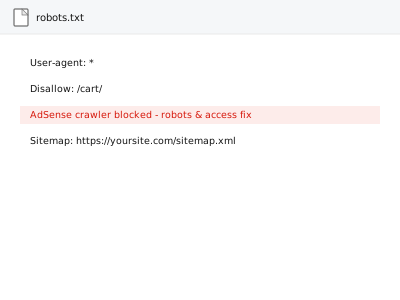
Google’s AdSense crawler (Mediapartners-Google) needs to be able to access your pages to determine what ads are contextually relevant to serve — if robots.txt, a security plugin, or server-level access rules block it, ads may still technically show, but poorly matched to your actual content, or may not show at all.
Check robots.txt for a Mediapartners-Google block
Visit yoursite.com/robots.txt directly in a browser and look for any rule specifically disallowing “Mediapartners-Google” — if present, that’s a direct, confirmable block on the exact crawler AdSense uses to evaluate your content.
AdSense crawler blocked - robots & access fix
Google's AdSense crawler blocked by your own security setup — found and let back in, safely.
- Full backup taken before we start
- If we can’t fix it, you get your money back
- We never ask for your own password
This or something else?
| robots.txt or another rule is blocking the AdSense crawler | This fix covers it |
| Ads show but seem irrelevant to your content, with no confirmed crawler block | Worth investigating further; may share this cause |
| ads.txt shows an error, unrelated to crawler access | AdSense ads.txt setup & error resolution |
| Your whole site is blocked from all crawlers, not just AdSense’s | A broader robots.txt or security-configuration issue |
What you are seeing
- Ads showing but consistently irrelevant to your actual page content
- AdSense reporting an inability to crawl your site in account messages
- The issue possibly following a security plugin installation or robots.txt change
- Lower ad revenue than expected despite units being correctly placed
Common causes
- A robots.txt rule explicitly disallowing the Mediapartners-Google user agent
- A security plugin or firewall blocking the crawler’s IP ranges or user agent
- A staging or maintenance-mode setting still restricting crawler access on the live site
- Server-level access rules (in .htaccess or similar) inadvertently blocking legitimate crawlers
- A CDN or caching configuration serving a restricted version of the site to crawlers
What we do
- Check robots.txt and confirm whether the AdSense crawler is explicitly blocked
- Check security plugins and firewall rules for crawler-blocking configuration
- Check server-level access rules for unintended restrictions
- Correct any blocking rules found while preserving legitimate security measures
- Verify the crawler can now access the site using AdSense’s own testing tools
- Monitor for improved ad relevance following the fix
What is included
- The specific blocking cause identified and corrected
- Verified crawler access restored
- Legitimate security measures preserved where they don’t conflict
- A written note on what was blocking access
Not included
- Guaranteeing a specific improvement in ad relevance or revenue
- Removing security measures that are correctly protecting the site for other reasons
- Fixing unrelated AdSense policy violations
- Ongoing monitoring for future access issues
Questions about this fix
Why would my own security plugin block AdSense's crawler?
Security plugins often block unfamiliar or aggressive-seeming crawler traffic by default as a broad protective measure, without distinguishing legitimate ad crawlers from actually malicious bots.
Will fixing this definitely make my ads more relevant?
It removes a real barrier to AdSense understanding your content, which is a prerequisite for relevant ads, though relevance also depends on your content itself and advertiser demand in your niche.
Could this have been blocking access for a long time without me noticing?
Yes, easily — nothing about a blocked crawler produces an obvious error most site owners would see; it just quietly limits how well AdSense can match ads to your content.
Will opening access to this crawler make my site less secure?
No — we specifically allow the legitimate Mediapartners-Google crawler while keeping other security measures intact, rather than broadly loosening access.
How do I know if this is actually fixed?
AdSense provides its own tools to test crawler access, which we use to confirm the fix directly rather than just assuming the configuration change worked.
Related fixes
If this is the second time this year
A bad update breaking the site is a symptom of updates not being tested first. Care plans run every update on a staging clone before it reaches your live site, which is the actual fix for this happening again.
Your access, your rules
Create a separate admin account for us and delete it when we are done. For anything else, we get in touch and agree a method — never a form field on this site, never by reply to an email.
We back up first, always
Before anything is touched we take a full backup and keep it for 30 days. If a fix goes wrong, we put the site back exactly as it was.
If it is not what you bought
If the problem turns out smaller than what you ordered, we refund the difference. If it is bigger, we stop and send a quote before doing any extra work.
If we cannot fix it
You get back what we received. Diagnosis is on us — you only pay when the problem is actually solved. The payment processor takes its fee before the money reaches us, so we never hold it and it is not ours to return. That is true here as everywhere else.
If it comes back
Reply within seven days of delivery and we put it back on the bench at no cost. The fix is not finished until it holds.
What we are responsible for
If something goes wrong with a fix, our responsibility is limited to what you paid for it. We take a full backup first so mistakes can be undone, and we tell you before doing anything outside what you bought.