
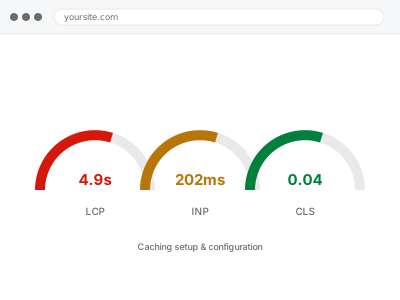
A caching plugin serves a pre-built copy of a page instead of asking WordPress to rebuild it from scratch for every visitor, which is one of the highest-impact changes available on a site that doesn’t already have one properly configured. “Properly configured” is doing the actual work — a plugin installed on its defaults often caches far less than it could, or caches things it shouldn’t, like a logged-in account page.
If you already have a caching plugin
Tell us which one. Roughly half the sites we look at already have a caching plugin active that was never configured past its defaults, which means it’s providing a fraction of the benefit it could.
There’s rarely a need to switch plugins. There’s usually a need to finish setting up the one you already have, which is quicker and less risky than migrating to something new.
It’s also worth knowing that a caching plugin fixes how fast a page is served, not how fast it is to build. If the underlying page is genuinely slow to generate — a heavy database query, a bloated theme — caching hides that for cached visitors but does nothing for the first person to load an empty cache, which is a different problem underneath. If that’s what’s actually going on, we’ll say so rather than configure caching more aggressively around a problem it can’t solve. It’s a useful distinction to have clear before we start, since it changes whether caching alone is the whole answer or just the first, most visible part of it.
Caching setup & configuration
You need caching properly set up, or an existing caching plugin finished rather than left on its defaults. We configure it and confirm dynamic pages stay correct.
- Full backup taken before we start
- If we can’t fix it, you get your money back
- We never ask for your own password
What we need from you
- Whether you already use a caching plugin, and which one
- Whether your host provides its own server-level caching, since it interacts with plugin caching
- Any pages that must never be cached — a live dashboard, a real-time price or availability page
- Confirmation you’re comfortable with brief testing on the live site, or have staging available
This or something else?
| Setting up caching for the first time | This fix covers it |
| A caching plugin installed but barely configured | This fix covers it |
| Caching causing stale content or logged-in users seeing cached pages | This fix covers it |
| Server-level caching conflicting with a plugin | Server response caching (Varnish/LiteSpeed) setup |
| General site slowness beyond caching | Slow site diagnostic report |
What we do
- Review what caching, if any, is currently active on the site and how it’s actually configured
- Configure page caching with exclusions for cart, checkout, account and any dynamic pages
- Configure browser and object caching where your host’s environment actually supports it
- Set cache expiry and purge rules so content updates show up promptly
- Test as a logged-out visitor and as a logged-in user to confirm each sees the right version
- Confirm checkout and account pages are never served from cache, on both desktop and mobile
What is included
- Page caching configured and tested, with dynamic pages correctly excluded
- Object caching enabled where your host supports it
- Purge and expiry rules matched to how often your content actually changes
- The pre-change backup, kept for 30 days
Not included
- CDN setup, which is a separate, complementary fix
- Upgrading your hosting to a tier that supports server-level caching
- Ongoing cache management as you add new page types
- Fixing content that’s slow even when served from cache, which is a database or code issue
Questions about this fix
Will visitors ever see stale content?
Only if expiry or purge rules are wrong, which is exactly what we configure carefully to avoid. Content that changes often gets a short cache life or an explicit purge trigger; content that rarely changes can cache for longer.
I'm worried caching will show one customer another customer's cart.
That's precisely why cart, checkout and account pages are excluded from page caching in any correct setup — those pages are never safe to cache, and we verify this specifically rather than trusting a plugin's default exclusion list.
Do I need a premium caching plugin?
Not usually. Most sites get the bulk of the benefit from a well-configured free plugin. A premium one can help at higher traffic or with more advanced rules, but it's rarely the actual bottleneck.
My host says they already have caching. Do I still need this?
Sometimes host-level caching alone is enough; sometimes it needs to work alongside a plugin, and getting the two to cooperate rather than conflict is part of what we check.
How much faster will my site actually be?
It depends heavily on what wasn't cached before. Sites with no caching at all often see the largest jump; sites with a partially-configured plugin see a smaller but still real improvement, which we can estimate better once we see the current setup.
Related fixes
If this is the second time this year
A bad update breaking the site is a symptom of updates not being tested first. Care plans run every update on a staging clone before it reaches your live site, which is the actual fix for this happening again.
Your access, your rules
Create a separate admin account for us and delete it when we are done. For anything else, we get in touch and agree a method — never a form field on this site, never by reply to an email.
We back up first, always
Before anything is touched we take a full backup and keep it for 30 days. If a fix goes wrong, we put the site back exactly as it was.
If it is not what you bought
If the problem turns out smaller than what you ordered, we refund the difference. If it is bigger, we stop and send a quote before doing any extra work.
If we cannot fix it
You get back what we received. Diagnosis is on us — you only pay when the problem is actually solved. The payment processor takes its fee before the money reaches us, so we never hold it and it is not ours to return. That is true here as everywhere else.
If it comes back
Reply within seven days of delivery and we put it back on the bench at no cost. The fix is not finished until it holds.
What we are responsible for
If something goes wrong with a fix, our responsibility is limited to what you paid for it. We take a full backup first so mistakes can be undone, and we tell you before doing anything outside what you bought.