
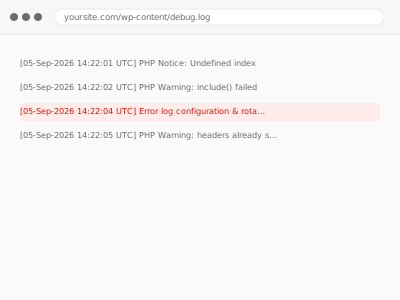
We configure how WordPress and server-level error logs are captured and rotated — ensuring errors are actually recorded somewhere useful for troubleshooting, while preventing log files from growing indefinitely and consuming disk space, which is the more common way logging setups quietly go wrong.
Error log configuration & rotation
Error logging configured privately with rotation, so it never grows unbounded.
- Full backup taken before we start
- If we can’t fix it, you get your money back
- We never ask for your own password
What we need from you
- FTP or hosting access to configure logging settings
- Confirmation of your desired log retention period
- Confirmation of whether you want private logging only, or a specific team member notified of new errors
This or something else?
| You want error logging correctly configured, with rotation to prevent unbounded growth | This fix covers it |
| You want an analysis of your existing error logs, not just the configuration itself | PHP error log analysis & report, the diagnostic version once logging is already in place |
| You specifically want debug mode disabled and its logs cleaned up | Debug mode disable & error log cleanup, in the Configuration & Environment category, a more targeted version |
| You want security-specific event logging, not general PHP error logging | Security event logging & alerting, a different kind of logging |
What we do
- Confirm current logging configuration and any gaps
- Configure error logging to capture useful information privately, without public display
- Set up log rotation with your specified retention period
- Verify logging captures genuine errors correctly
- Confirm log files don’t grow unbounded going forward
- Document the configuration for future reference
What is included
- Error logging configured to capture useful information privately
- Log rotation configured with your specified retention
- Verified correct capture of genuine errors
- A written note on the configuration
Not included
- Analysing existing log content for patterns or specific issues — a separate, related report if that’s what you need
- Fixing the underlying errors being logged — a separate, related fix once identified
- Security-specific event logging, a separate, related fix
- Ongoing review of log content as a standing service
Questions about this fix
Why does log rotation matter if I'm not actively reviewing the logs?
Without rotation, log files can grow indefinitely and eventually consume meaningful disk space, particularly on a site generating a steady stream of minor errors or warnings — rotation keeps this in check regardless of how often anyone actually reviews the content.
Will this show errors publicly on my site?
No, this configures private logging specifically — errors are recorded to a file for review, not displayed to visitors, which is the safe, correct way to maintain error visibility without public exposure.
How long should I keep error logs before they're rotated out?
This depends on how often you or a developer actually review them — a reasonable default balances having enough history to spot a pattern against not accumulating logs indefinitely, which we'd tailor to your situation.
Can I be notified when a new error appears, rather than checking the log manually?
Yes, if you want active notification rather than passive logging, that's an additional configuration we can set up, though it's a more involved setup than logging alone.
Is this the same as the debug mode cleanup fix?
Related but distinct — that fix specifically addresses debug mode being incorrectly left in a public-display state; this fix is about properly configuring ongoing, private error logging and its rotation, which is relevant regardless of debug mode's specific history.
Related fixes
If this is the second time this year
A bad update breaking the site is a symptom of updates not being tested first. Care plans run every update on a staging clone before it reaches your live site, which is the actual fix for this happening again.
Your access, your rules
Create a separate admin account for us and delete it when we are done. For anything else, we get in touch and agree a method — never a form field on this site, never by reply to an email.
We back up first, always
Before anything is touched we take a full backup and keep it for 30 days. If a fix goes wrong, we put the site back exactly as it was.
If it is not what you bought
If the problem turns out smaller than what you ordered, we refund the difference. If it is bigger, we stop and send a quote before doing any extra work.
If we cannot fix it
You get back what we received. Diagnosis is on us — you only pay when the problem is actually solved. The payment processor takes its fee before the money reaches us, so we never hold it and it is not ours to return. That is true here as everywhere else.
If it comes back
Reply within seven days of delivery and we put it back on the bench at no cost. The fix is not finished until it holds.
What we are responsible for
If something goes wrong with a fix, our responsibility is limited to what you paid for it. We take a full backup first so mistakes can be undone, and we tell you before doing anything outside what you bought.