
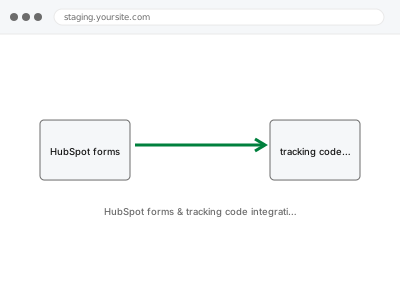
We integrate HubSpot’s forms and tracking code with your site so form submissions and visitor activity correctly flow into your HubSpot account — configured through delegated access, and limited by whatever your specific HubSpot plan actually includes, since features like advanced tracking or workflow automation are often plan-gated on HubSpot’s side.
HubSpot forms & tracking code integration
HubSpot forms and tracking correctly wired to your site through delegated access.
- Full backup taken before we start
- If we can’t fix it, you get your money back
- We never ask for your own password
What we need from you
- A HubSpot account, with a team member invitation granted to us rather than your account password
- Confirmation of which forms and tracking points need integrating
- Confirmation of your current HubSpot plan tier, since some tracking and automation features are plan-dependent
This or something else?
| You want HubSpot forms and tracking code correctly integrated with your site | This fix covers it |
| You want a different CRM or marketing platform integrated instead | Klaviyo / Brevo integration & flow setup, or Mailchimp audience & automation setup |
| The integration exists but form submissions aren’t reaching HubSpot correctly | Still covered by this fix, treated as a correction rather than a fresh setup |
| You want a general CRM integration fixed, not specifically HubSpot | CRM integration failure, in the Forms & Integrations category, the broader diagnostic version |
What we do
- Confirm which forms and tracking points need to integrate with HubSpot
- Implement HubSpot’s tracking code correctly across your site
- Connect forms so submissions correctly create or update HubSpot contacts
- Test tracking and form submission with real activity
- Verify data appears correctly and completely in your HubSpot account
- Document the configuration for future reference
What is included
- HubSpot tracking code correctly implemented sitewide
- Forms connected to correctly create or update HubSpot contacts
- Verified tracking and form data appearing correctly in HubSpot
- A written note on the configuration
Not included
- Upgrading your HubSpot plan, or any feature requiring a tier you’re not currently on
- Setting up HubSpot workflows or automation beyond the initial tracking and form connection
- Resolving an outage or bug on HubSpot’s own platform
- Ongoing HubSpot account management as a standing service
Questions about this fix
Do you need my HubSpot password?
No — HubSpot supports inviting team members with specific permissions, which is what we'd request rather than your actual account credentials.
Will this set up HubSpot workflows automatically triggered by form submissions?
Basic form-to-contact connection is included; building out specific workflow automation beyond that initial connection would be a further, related step depending on what your plan supports and what you want configured.
What if my HubSpot plan doesn't include a tracking feature I want?
We'd tell you plainly which specific feature requires a higher plan tier — that's a decision between you and HubSpot, not something we can enable through configuration alone.
Can this replace my existing CRM integration?
If you're consolidating onto HubSpot as your CRM, this integration is the technical foundation for that — we'd discuss whether an existing, separate CRM connection should be retired as part of this change.
Will tracking code slow down my site?
Tracking scripts add a small amount of loading weight, which we implement following reasonable performance practice, though any third-party script has some impact worth being aware of.
Related fixes
If this is the second time this year
A bad update breaking the site is a symptom of updates not being tested first. Care plans run every update on a staging clone before it reaches your live site, which is the actual fix for this happening again.
Your access, your rules
Create a separate admin account for us and delete it when we are done. For anything else, we get in touch and agree a method — never a form field on this site, never by reply to an email.
We back up first, always
Before anything is touched we take a full backup and keep it for 30 days. If a fix goes wrong, we put the site back exactly as it was.
If it is not what you bought
If the problem turns out smaller than what you ordered, we refund the difference. If it is bigger, we stop and send a quote before doing any extra work.
If we cannot fix it
You get back what we received. Diagnosis is on us — you only pay when the problem is actually solved. The payment processor takes its fee before the money reaches us, so we never hold it and it is not ours to return. That is true here as everywhere else.
If it comes back
Reply within seven days of delivery and we put it back on the bench at no cost. The fix is not finished until it holds.
What we are responsible for
If something goes wrong with a fix, our responsibility is limited to what you paid for it. We take a full backup first so mistakes can be undone, and we tell you before doing anything outside what you bought.