
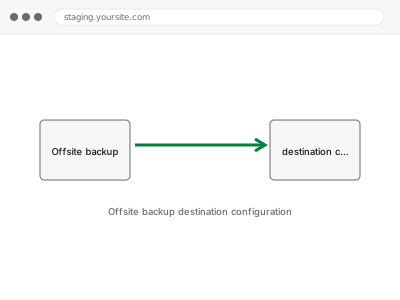
A backup stored only on the same server as your live site shares that server’s fate — if the host has a catastrophic failure, or the account itself is compromised, your backup can be lost right alongside the site it was meant to protect. Sending backups to a genuinely separate destination removes that single point of failure.
Offsite backup destination configuration
Your backups sent to a genuinely separate destination, so your host isn't a single point of failure.
- Full backup taken before we start
- If we can’t fix it, you get your money back
- We never ask for your own password
What we need from you
- Confirmation of your existing backup system, so this connects to what you already have
- Your preferred offsite destination, if you have one (cloud storage like S3, Dropbox, Google Drive, or another provider)
- Any account credentials or access needed for the chosen destination
This or something else?
| You want your existing backups sent to a separate, offsite destination | This fix covers it |
| You don’t have a backup system set up at all yet | Backup system setup & schedule configuration, the prerequisite step |
| You want to verify your backups actually restore correctly, not just where they’re stored | Backup restore test & verification report |
| You’re not sure which offsite destination is right for you | We can recommend based on your budget and technical comfort |
What we do
- Confirm your existing backup system and its current storage destination
- Set up and authenticate the chosen offsite destination
- Configure your backup system to send copies to the new destination automatically
- Run a test backup to confirm it successfully reaches the offsite destination
- Verify the offsite copy is complete and accessible
- Document the configuration and how to check it’s still working
What is included
- Offsite backup destination configured and connected
- A confirmed, successful test backup reaching the new destination
- Verification the offsite copy is complete
- A written note on the configuration
Not included
- Setting up the backup system itself, if not already in place — a separate, prerequisite fix
- Choosing or paying for the offsite storage service itself, unless already arranged
- Testing that a stored backup can be successfully restored, a separate, related check
- Ongoing monitoring of the offsite connection remaining active
Questions about this fix
Why isn't storing backups on my hosting account already good enough?
If your hosting account is compromised or the server fails catastrophically, a backup stored only there can be lost at the exact moment you'd need it most — a genuinely separate destination removes that shared point of failure.
Which offsite destination should I actually choose?
It depends on your budget, technical comfort, and how much storage you need — we can recommend a sensible, cost-appropriate option if you don't already have a preference.
Will this cost extra beyond what you charge for the setup itself?
Most offsite storage destinations have their own separate cost, typically usage-based — we set up the connection, but the storage service itself is usually billed by its own provider.
How do I know the offsite backup is actually working after this is set up?
We run and verify a test backup as part of this fix, and document how you can check yourself that future backups continue reaching the destination.
Can I have backups sent to more than one offsite destination for extra safety?
Yes, that's a reasonable, if more involved, setup if you want redundancy beyond a single offsite copy — worth discussing if that level of safety matters for your situation.
Related fixes
If this is the second time this year
A bad update breaking the site is a symptom of updates not being tested first. Care plans run every update on a staging clone before it reaches your live site, which is the actual fix for this happening again.
Your access, your rules
Create a separate admin account for us and delete it when we are done. For anything else, we get in touch and agree a method — never a form field on this site, never by reply to an email.
We back up first, always
Before anything is touched we take a full backup and keep it for 30 days. If a fix goes wrong, we put the site back exactly as it was.
If it is not what you bought
If the problem turns out smaller than what you ordered, we refund the difference. If it is bigger, we stop and send a quote before doing any extra work.
If we cannot fix it
You get back what we received. Diagnosis is on us — you only pay when the problem is actually solved. The payment processor takes its fee before the money reaches us, so we never hold it and it is not ours to return. That is true here as everywhere else.
If it comes back
Reply within seven days of delivery and we put it back on the bench at no cost. The fix is not finished until it holds.
What we are responsible for
If something goes wrong with a fix, our responsibility is limited to what you paid for it. We take a full backup first so mistakes can be undone, and we tell you before doing anything outside what you bought.