
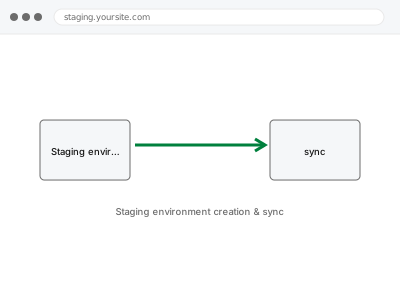
A staging environment is a private copy of your live site where changes can be made and tested without any risk to what your actual visitors and customers see — essential before any significant update, redesign, or migration, and something most hosting plans don’t set up or keep in sync automatically on their own.
Staging environment creation & sync
An isolated staging copy of your site, blocked from search engines, ready to test changes safely.
- Full backup taken before we start
- If we can’t fix it, you get your money back
- We never ask for your own password
What we need from you
- Hosting access sufficient to create a staging copy
- Confirmation of what you intend to use the staging environment for, so it’s configured appropriately
- How current you need the staging copy to stay relative to live (a one-time snapshot, or ongoing sync)
This or something else?
| You want a staging copy of your site created, separate from your live environment | This fix covers it |
| You already have staging and need changes pushed from it to live | Staging-to-live push with conflict resolution |
| You want only specific content merged from staging, not a full push | Content-only merge from staging |
| You want your live site restored from a backup, not a new staging copy created | Restore from backup – single site |
What we do
- Create a full copy of your live site in an isolated staging environment
- Configure the staging environment to prevent it from being indexed by search engines
- Set up a sync method appropriate to your stated needs (one-time or ongoing)
- Verify the staging copy matches live accurately
- Provide clear, separate access credentials for the staging environment
- Document how to use and, if applicable, refresh the staging copy going forward
What is included
- A working, isolated staging environment matching your live site
- Search engine indexing blocked on the staging copy
- Verified accuracy against the live site
- A written note on access and how to refresh the copy
Not included
- Pushing changes from staging back to live, a separate, related fix when you’re ready
- Ongoing, automatic syncing beyond what’s specified, unless separately configured
- Making the actual changes you intend to test in staging
- Resolving conflicts between staging and live content, a separate fix
Questions about this fix
Will my staging site accidentally show up in Google search results?
We block search engine indexing on the staging copy specifically to prevent this, since an indexed staging site can create duplicate content and confusion for both search engines and visitors.
How do I keep my staging site up to date with live once it's created?
Depending on what you need, we can either leave it as a point-in-time snapshot or configure an ongoing sync — worth confirming which fits your actual use case before we set it up.
Can customers or visitors accidentally end up on my staging site?
Not if it's properly isolated with its own separate URL and access controls, which is part of what we configure — it shouldn't be discoverable or reachable by regular visitors.
What happens to orders or form submissions made on the staging site by mistake?
Staging is meant for testing, not real transactions — we recommend against processing genuine orders there, and can discuss safeguards if that's a real risk for your setup.
How do I get my tested changes from staging onto my live site once I'm happy with them?
That's a separate, related fix — pushing staging changes to live involves its own careful process, particularly around content that may have changed on live in the meantime.
Related fixes
If this is the second time this year
A bad update breaking the site is a symptom of updates not being tested first. Care plans run every update on a staging clone before it reaches your live site, which is the actual fix for this happening again.
Your access, your rules
Create a separate admin account for us and delete it when we are done. For anything else, we get in touch and agree a method — never a form field on this site, never by reply to an email.
We back up first, always
Before anything is touched we take a full backup and keep it for 30 days. If a fix goes wrong, we put the site back exactly as it was.
If it is not what you bought
If the problem turns out smaller than what you ordered, we refund the difference. If it is bigger, we stop and send a quote before doing any extra work.
If we cannot fix it
You get back what we received. Diagnosis is on us — you only pay when the problem is actually solved. The payment processor takes its fee before the money reaches us, so we never hold it and it is not ours to return. That is true here as everywhere else.
If it comes back
Reply within seven days of delivery and we put it back on the bench at no cost. The fix is not finished until it holds.
What we are responsible for
If something goes wrong with a fix, our responsibility is limited to what you paid for it. We take a full backup first so mistakes can be undone, and we tell you before doing anything outside what you bought.