
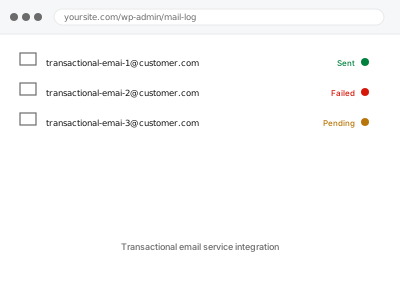
A dedicated transactional email service — Postmark, SendGrid, Amazon SES, Mailgun, and similar — exists specifically to deliver the kind of email WordPress sends (receipts, password resets, notifications) more reliably than a general-purpose mail server, with better deliverability tracking and none of the reputation risk of sharing a mail server with everything else on shared hosting.
If you haven’t picked a provider yet
Several services do effectively the same job at this scale, and the right one usually comes down to your expected volume and whether you want detailed delivery analytics or just reliable sending — we can recommend one based on how much mail your site actually sends rather than defaulting to whichever is best known.
Transactional email service integration
A dedicated transactional email service connected in place of WordPress's own unreliable default sending.
- Full backup taken before we start
- If we can’t fix it, you get your money back
- We never ask for your own password
What we need from you
- Which service you’d like to use, or ask us to recommend one based on your volume
- Access to create or use an account with that service, since some require billing details we won’t hold on your behalf
- Confirmation of every address the site currently sends from
This or something else?
| You want a proper transactional email service connected in place of default WordPress mail | This fix covers it |
| You just need SPF and DKIM set up for existing sending, not a new service | SMTP setup with SPF & DKIM records |
| You want DMARC added on top of an already-working setup | DMARC record setup & alignment |
| You manage several domains each needing this | Multi-domain sending configuration |
| You’re not sure whether email is even the problem yet | Email deliverability audit report, worth doing first |
What we do
- Confirm expected sending volume and recommend a service if you haven’t picked one
- Set up the account connection and API credentials securely
- Configure WordPress to send through the service rather than default mail
- Set up SPF and DKIM for the new sending source
- Send test messages across the main email types the site generates
- Confirm delivery and show you where to check ongoing delivery stats
What is included
- A transactional email service connected and sending on the site’s behalf
- Authentication (SPF/DKIM) configured for the new sending source
- Test emails confirmed delivered across your main email types
- A short guide to where you can check delivery status going forward
Not included
- The service’s own subscription cost, which is billed to you directly
- DMARC policy setup, a related but separate fix
- Migrating existing email history or logs from a previous setup
- Ongoing monitoring of delivery rates as a standing service
Questions about this fix
Which service do you actually recommend?
It depends mostly on volume — for most small stores a generous free tier from Mailgun or SendGrid covers typical order-confirmation traffic.
Do I need a credit card on file even for a free tier?
Usually yes, most providers ask for one even on free plans, though you won't be charged unless you exceed the free volume — we'll flag that clearly first.
What happens to email if the service goes down?
Extremely rare, but WordPress would typically fail to send until it recovered — a tradeoff for the much better reliability these services provide day to day.
Can I switch providers later without breaking anything?
Yes, switching mainly means updating the connection details and re-verifying SPF and DKIM for the new provider, a smaller job than the original setup.
Will this slow down my site at all?
No — sending mail through an external service tends to be faster than WordPress's default method, since it hands off the sending rather than the server doing it directly.
Related fixes
If this is the second time this year
A bad update breaking the site is a symptom of updates not being tested first. Care plans run every update on a staging clone before it reaches your live site, which is the actual fix for this happening again.
Your access, your rules
Create a separate admin account for us and delete it when we are done. For anything else, we get in touch and agree a method — never a form field on this site, never by reply to an email.
We back up first, always
Before anything is touched we take a full backup and keep it for 30 days. If a fix goes wrong, we put the site back exactly as it was.
If it is not what you bought
If the problem turns out smaller than what you ordered, we refund the difference. If it is bigger, we stop and send a quote before doing any extra work.
If we cannot fix it
You get back what we received. Diagnosis is on us — you only pay when the problem is actually solved. The payment processor takes its fee before the money reaches us, so we never hold it and it is not ours to return. That is true here as everywhere else.
If it comes back
Reply within seven days of delivery and we put it back on the bench at no cost. The fix is not finished until it holds.
What we are responsible for
If something goes wrong with a fix, our responsibility is limited to what you paid for it. We take a full backup first so mistakes can be undone, and we tell you before doing anything outside what you bought.