
DMARC tells receiving mail providers what to do with a message that fails SPF or DKIM — reject it, quarantine it, or let it through anyway — and publishing one without SPF and DKIM already aligned correctly can make delivery worse, not better, since a strict DMARC policy actively rejects mail that would otherwise have gotten through.
Why DMARC comes after SPF and DKIM, not instead of them
DMARC doesn’t replace SPF or DKIM, it sits on top of them and decides what happens when they fail — setting a strict policy before confirming every legitimate sending source passes both first can cause real mail to be rejected outright.
If you haven’t had SPF and DKIM set up and verified yet, that’s worth doing first or alongside this.
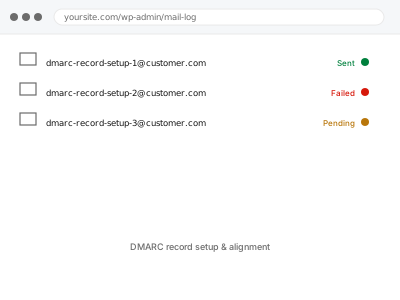
DMARC record setup & alignment
A DMARC policy added on top of already-working SPF and DKIM, without risking mail that currently gets through.
- Full backup taken before we start
- If we can’t fix it, you get your money back
- We never ask for your own password
What we need from you
- Confirmation of whether SPF and DKIM are already set up, or need to be done together with this
- Every service that sends email using your domain, so none gets accidentally blocked
- Where you’d like DMARC reports sent, if you want to monitor them
This or something else?
| SPF and DKIM already pass and you want DMARC added | This fix covers it |
| SPF and DKIM aren’t set up yet | SMTP setup with SPF & DKIM records, needed first or alongside |
| You want to know why email is landing in spam right now | Emails landing in spam – diagnostic & remediation |
| You manage multiple sending domains each needing DMARC | Multi-domain sending configuration, a related fix |
| You just want to monitor what’s sending as your domain, not enforce a policy yet | This fix covers it; a monitor-only policy is a valid starting point |
What we do
- Confirm SPF and DKIM are correctly configured and passing for every legitimate sender
- Start with a monitoring-only DMARC policy so nothing is rejected during setup
- Review DMARC reports for a period to confirm every real sender is accounted for
- Move the policy toward quarantine or reject once confident nothing legitimate is missed
- Set up report delivery to an address or service you can actually review
- Document the final policy and what it means practically for your mail
What is included
- A correctly published DMARC record with an appropriate policy
- Verification that legitimate senders aren’t caught by the policy
- Report delivery configured to an address you control
- A plain-language explanation of what the policy actually does
Not included
- SPF and DKIM setup itself, if not already in place, which is a related but separate fix
- Ongoing review of DMARC reports as new senders are added later
- Interpreting third-party DMARC report analysis services beyond basic setup
- Resolving spam placement issues unrelated to authentication, which need their own diagnosis
Questions about this fix
Could setting up DMARC actually block emails that currently work fine?
It's a real risk with a strict policy set too soon, which is why we start monitor-only and confirm every legitimate sender passes before tightening it.
What's the difference between quarantine and reject as a policy?
Quarantine typically sends failing mail to spam rather than blocking it outright, while reject refuses it entirely — we usually recommend quarantine first.
Do I need to read DMARC reports myself once this is set up?
Not unless you want to — the reports are XML files not really meant for reading directly, and most people just want the address monitored occasionally.
Will this affect email I send from my personal inbox, not through WordPress?
Yes, potentially — DMARC applies to your whole domain's mail, which is exactly why confirming every legitimate sending source first matters.
How do I know when it's safe to move from monitoring to enforcing?
Once a reporting period shows every sender you recognise passing consistently, with nothing unexplained failing, that's usually the signal it's safe.
Related fixes
If this is the second time this year
A bad update breaking the site is a symptom of updates not being tested first. Care plans run every update on a staging clone before it reaches your live site, which is the actual fix for this happening again.
Your access, your rules
Create a separate admin account for us and delete it when we are done. For anything else, we get in touch and agree a method — never a form field on this site, never by reply to an email.
We back up first, always
Before anything is touched we take a full backup and keep it for 30 days. If a fix goes wrong, we put the site back exactly as it was.
If it is not what you bought
If the problem turns out smaller than what you ordered, we refund the difference. If it is bigger, we stop and send a quote before doing any extra work.
If we cannot fix it
You get back what we received. Diagnosis is on us — you only pay when the problem is actually solved. The payment processor takes its fee before the money reaches us, so we never hold it and it is not ours to return. That is true here as everywhere else.
If it comes back
Reply within seven days of delivery and we put it back on the bench at no cost. The fix is not finished until it holds.
What we are responsible for
If something goes wrong with a fix, our responsibility is limited to what you paid for it. We take a full backup first so mistakes can be undone, and we tell you before doing anything outside what you bought.