
WordPress’s default way of sending email is unauthenticated — it just asks the server to hand a message off, with nothing proving to a receiving mail provider that your domain actually sent it. SPF and DKIM are the two records that provide that proof, and setting them up properly means configuring both your DNS and an actual authenticated SMTP connection, not just installing a plugin and hoping.
Why SPF and DKIM need DNS access, not a plugin setting alone
A plugin can configure how WordPress connects to an SMTP service, but SPF and DKIM themselves are DNS records that have to be published at your domain’s registrar or DNS provider — no plugin can do that part for you, which is why this needs access beyond wp-admin.
If you’re not sure who manages your domain’s DNS, that’s worth finding out before ordering, since we’ll need to add records there directly.
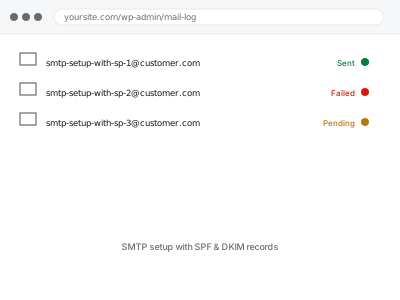
SMTP setup with SPF & DKIM records
Proper SPF and DKIM authentication set up for your domain, not just a plugin toggle.
- Full backup taken before we start
- If we can’t fix it, you get your money back
- We never ask for your own password
What we need from you
- Which email sending service you want to use, if you have one in mind, or ask us to suggest one
- Access to wherever your domain’s DNS is managed, not just WordPress
- Confirmation of every address the site currently sends from, so nothing gets missed
This or something else?
| You want SPF and DKIM set up properly for the first time | This fix covers it |
| You already have SPF/DKIM and want DMARC added on top | DMARC record setup & alignment, a different fix |
| Emails are already landing in spam and you want that diagnosed first | Emails landing in spam – diagnostic & remediation |
| You want a dedicated transactional service like Postmark or SES connected | Transactional email service integration, a related fix |
| You just want one specific email’s delivery fixed, not the whole domain’s setup | A narrower, targeted fix instead |
What we do
- Confirm every address and service currently sending mail on the domain’s behalf
- Set up or verify an authenticated SMTP connection for WordPress to send through
- Publish the correct SPF record covering every legitimate sending source
- Generate and publish the DKIM key for the sending service
- Send test messages and confirm both records pass on the receiving end
- Document the records added, in case your DNS ever needs rebuilding elsewhere
What is included
- Authenticated SMTP sending configured for WordPress
- SPF and DKIM records published and verified as passing
- Test emails confirmed delivered with correct authentication
- A written record of every DNS change made
Not included
- DMARC policy setup, which builds on this and is a separate fix
- Authenticating mail sent outside WordPress entirely, unless included in scope
- Migrating to a new domain registrar or DNS provider
- Ongoing management if you add new sending services later
Questions about this fix
Do I need a paid email service, or can this work with what I have?
Many free tiers (a limited Mailgun or SendGrid plan, say) are enough for typical WordPress transactional volume — we size the recommendation to what your site actually sends.
What happens to email that's already working if I do this?
Nothing changes for mail that already authenticates correctly — this adds proper authentication for what doesn't, without disrupting anything already passing.
Can this break my regular business email, like Google Workspace or Outlook?
Not if done correctly, which is why we check every existing sending source first — an incomplete SPF record is a common way this goes wrong elsewhere.
How long do DNS changes take to actually work?
Usually minutes to a few hours, though propagation can occasionally take up to a day or two depending on your provider's own settings.
Will I need to do anything if I switch hosts later?
The DNS records stay valid regardless of hosting, since they're tied to your domain rather than the server — only the SMTP connection would need reconfiguring if you also switch email services.
Related fixes
If this is the second time this year
A bad update breaking the site is a symptom of updates not being tested first. Care plans run every update on a staging clone before it reaches your live site, which is the actual fix for this happening again.
Your access, your rules
Create a separate admin account for us and delete it when we are done. For anything else, we get in touch and agree a method — never a form field on this site, never by reply to an email.
We back up first, always
Before anything is touched we take a full backup and keep it for 30 days. If a fix goes wrong, we put the site back exactly as it was.
If it is not what you bought
If the problem turns out smaller than what you ordered, we refund the difference. If it is bigger, we stop and send a quote before doing any extra work.
If we cannot fix it
You get back what we received. Diagnosis is on us — you only pay when the problem is actually solved. The payment processor takes its fee before the money reaches us, so we never hold it and it is not ours to return. That is true here as everywhere else.
If it comes back
Reply within seven days of delivery and we put it back on the bench at no cost. The fix is not finished until it holds.
What we are responsible for
If something goes wrong with a fix, our responsibility is limited to what you paid for it. We take a full backup first so mistakes can be undone, and we tell you before doing anything outside what you bought.