
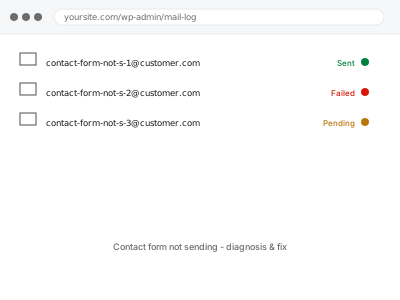
A contact form has two jobs — accept the visitor’s message, and hand it off to be emailed to you — and it’s entirely possible for the first to work perfectly while the second fails silently, since most form plugins show a “thank you” message the moment the form submits, regardless of whether the email behind it ever actually sent. WordPress’s own mail function often can’t be trusted to deliver reliably without help, which is why a form that “used to work” can quietly stop the moment a server setting or plugin update changes how mail leaves the site.
Check the form plugin’s own submission log
Most form plugins (Contact Form 7, WPForms, Gravity Forms, Ninja Forms) keep a record of entries separately from whether the notification email sent — go to the plugin’s own entries or submissions screen and confirm the message you’re worried about actually arrived there.
If it’s there, the form itself works and this is specifically an email delivery problem, not a broken form. If it’s not there either, the fault is earlier than email, which is worth mentioning when you order.
Contact form not sending - diagnosis & fix
Contact form entries arrive but the email notification behind them doesn't — we trace where the handoff actually breaks.
- Full backup taken before we start
- If we can’t fix it, you get your money back
- We never ask for your own password
This or something else?
| Form accepts submissions but no email ever arrives | This fix covers it |
| Form itself won’t submit at all, no confirmation shown | A different, form-functionality fix |
| WooCommerce order emails specifically not arriving | WooCommerce order email deliverability fix |
| All emails from the site failing, not just this form | Worth checking if it’s site-wide rather than just this form |
| Occasional missed submissions, not every one | This fix covers it, worth confirming it’s genuinely occasional |
What you are seeing
- Visitors report sending a message with no reply ever coming
- The form shows a success message every time, so nothing looks wrong from the front end
- Entries may or may not appear in the plugin’s own submissions log
- It may have started after a hosting change, plugin update, or new security plugin
Common causes
- WordPress’s built-in mail function relying on the server’s own mail setup, which many hosts restrict or disable
- A spam filter on the receiving end silently discarding the message before it’s seen
- The form plugin sending from an address the server isn’t authorised to send as
- A security or firewall rule blocking outgoing mail specifically
- The notification email address itself mistyped or outdated in the form’s settings
What we do
- Submit a real test entry and trace whether it left the server at all
- Check the form plugin’s own notification settings for the destination address
- Determine whether WordPress is sending through PHP’s mail function or a proper SMTP connection
- Set up authenticated sending if the site doesn’t already have it
- Confirm a test submission arrives, checking spam if needed
- Re-test the specific scenario you reported to confirm it’s resolved
What is included
- The specific cause of non-delivery identified
- Authenticated mail sending configured if that was missing or the cause
- A confirmed test submission received
- The pre-fix backup, kept for 30 days
Not included
- Building a new contact form or changing its fields
- Recovering messages that were never received before this fix
- Ongoing spam filtering on the receiving mailbox, which is outside our access
- Fixing a different form’s delivery separately, quoted per form if more than one is affected
Questions about this fix
Will this fix every form on my site, or just the one I mention?
Just the one you flag unless you tell us to check others — a lot of sites only have one contact form, but if you have several we confirm each is actually delivering.
Could my web host be blocking outgoing email entirely?
Some hosts restrict PHP's mail function by default, which is one of the first things we check — if that's the cause, moving to authenticated SMTP sending usually resolves it without changing hosts.
The submissions show up in the plugin but no email arrives — is that normal?
It's actually a useful clue rather than a contradiction — it means the form itself works and confirms the problem is specifically in the handoff to email.
Why did this suddenly start when I didn't change anything?
Often a host-side change, a security plugin update, or a shift in the receiving mail provider's own spam rules — nothing on your end has to move for the sending environment around it to shift.
Can you set it up so I get a copy even if the visitor's own confirmation fails?
Yes, and it's worth asking for specifically — most forms only worry about notifying you, not confirming to the visitor, so we check both directions if you want that covered.
Related fixes
If this is the second time this year
A bad update breaking the site is a symptom of updates not being tested first. Care plans run every update on a staging clone before it reaches your live site, which is the actual fix for this happening again.
Your access, your rules
Create a separate admin account for us and delete it when we are done. For anything else, we get in touch and agree a method — never a form field on this site, never by reply to an email.
We back up first, always
Before anything is touched we take a full backup and keep it for 30 days. If a fix goes wrong, we put the site back exactly as it was.
If it is not what you bought
If the problem turns out smaller than what you ordered, we refund the difference. If it is bigger, we stop and send a quote before doing any extra work.
If we cannot fix it
You get back what we received. Diagnosis is on us — you only pay when the problem is actually solved. The payment processor takes its fee before the money reaches us, so we never hold it and it is not ours to return. That is true here as everywhere else.
If it comes back
Reply within seven days of delivery and we put it back on the bench at no cost. The fix is not finished until it holds.
What we are responsible for
If something goes wrong with a fix, our responsibility is limited to what you paid for it. We take a full backup first so mistakes can be undone, and we tell you before doing anything outside what you bought.