
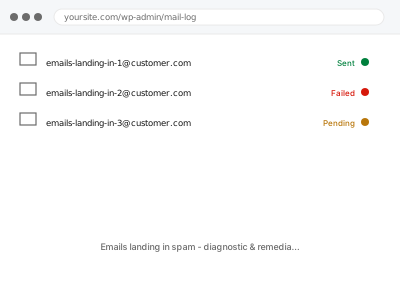
Landing in spam usually isn’t one thing going wrong; it’s a combination of authentication, sending reputation, and content that, taken together, tips a receiving mail provider’s filter one way or the other — which is why the same email can land in the inbox for one recipient and spam for another, and why “just fix the spam filter” isn’t actually where the fix lives.
Look at one email’s raw headers
Find a message that landed in spam and view its raw source (most email clients have a “show original” or “view source” option) — look for a line starting “Authentication-Results” and check whether SPF, DKIM, and DMARC each show “pass” or “fail”.
A fail on any of them tells us exactly where to start; if all three pass and it’s still landing in spam, the cause is more likely reputation or content, which we check differently.
Emails landing in spam - diagnostic & remediation
Emails sending successfully but landing in spam — we check authentication, reputation, and content to find out why.
- Full backup taken before we start
- If we can’t fix it, you get your money back
- We never ask for your own password
This or something else?
| Emails send successfully but land in spam or junk | This fix covers it |
| Emails don’t send at all, not a spam-placement issue | A site-wide sending diagnosis instead |
| Only WooCommerce order emails specifically affected | WooCommerce order email deliverability fix |
| SPF and DKIM aren’t set up at all yet | SMTP setup with SPF & DKIM records, needed first |
| Emails land fine for you but not customers, or the reverse | This fix covers it; worth mentioning the pattern when ordering |
What you are seeing
- Emails you know were sent turning up in the recipient’s spam or junk folder
- The pattern may be consistent or vary by which email provider the recipient uses
- Authentication may already show as passing, or may be failing
- It may have started recently or been a longstanding, unaddressed issue
- Some recipients may report never seeing the email at all, spam folder included
Common causes
- Missing or misconfigured SPF, DKIM, or DMARC, so receiving providers can’t verify the sender
- A shared sending IP with a poor reputation from unrelated senders on the same infrastructure
- Content patterns that spam filters commonly flag, such as certain phrasing or excessive links
- A new sending domain or address with no established sending history yet
- Sending volume spiking suddenly in a way that looks like bulk or automated abuse
What we do
- Check authentication status (SPF, DKIM, DMARC) on real sent messages
- Fix any authentication gaps found
- Check the sending IP or domain’s reputation against standard blocklists
- Review email content for common spam-trigger patterns
- Send test messages to multiple major providers and check placement
- Report what was found and confirm improved placement where fixable
What is included
- Authentication issues identified and corrected
- A reputation check against standard blocklists
- Content review for common spam triggers
- A written report on findings and what was and wasn’t fixable
Not included
- Guaranteeing inbox placement at every provider, since filtering criteria are ultimately outside anyone’s control
- Recovering emails already lost to spam before this fix
- Ongoing reputation monitoring as a standing service
- Rewriting marketing email content beyond flagging clear spam triggers
Questions about this fix
Can you guarantee my emails will always reach the inbox after this?
No, and we wouldn't promise that honestly — every provider's filtering changes over time, but fixing authentication and reputation issues meaningfully improves the odds.
Why does it land in spam for Gmail but not Outlook, or the other way round?
Different providers weigh authentication, reputation, and content differently, so the same email is genuinely often treated differently depending on where it lands.
Is this something a plugin can just fix automatically?
Some plugins claim to, but authentication and reputation issues are usually specific enough to your domain's actual setup that a generic plugin fix rarely addresses the real cause.
Could my hosting itself be part of the problem?
Yes, particularly on shared hosting where your sending IP is shared with other sites — if that's the cause, a dedicated transactional service is often the more durable fix.
How long until I know if this actually worked?
Test sends confirm it immediately, but real-world placement can take a little longer to stabilise as providers reassess your sending reputation.
Related fixes
If this is the second time this year
A bad update breaking the site is a symptom of updates not being tested first. Care plans run every update on a staging clone before it reaches your live site, which is the actual fix for this happening again.
Your access, your rules
Create a separate admin account for us and delete it when we are done. For anything else, we get in touch and agree a method — never a form field on this site, never by reply to an email.
We back up first, always
Before anything is touched we take a full backup and keep it for 30 days. If a fix goes wrong, we put the site back exactly as it was.
If it is not what you bought
If the problem turns out smaller than what you ordered, we refund the difference. If it is bigger, we stop and send a quote before doing any extra work.
If we cannot fix it
You get back what we received. Diagnosis is on us — you only pay when the problem is actually solved. The payment processor takes its fee before the money reaches us, so we never hold it and it is not ours to return. That is true here as everywhere else.
If it comes back
Reply within seven days of delivery and we put it back on the bench at no cost. The fix is not finished until it holds.
What we are responsible for
If something goes wrong with a fix, our responsibility is limited to what you paid for it. We take a full backup first so mistakes can be undone, and we tell you before doing anything outside what you bought.