
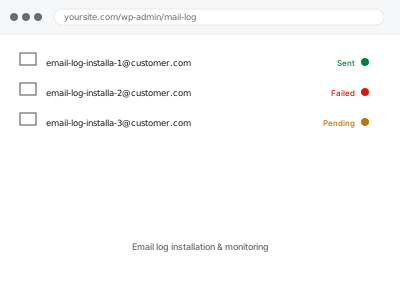
WordPress doesn’t keep any record of the email it sends by default — once a message leaves, there’s no way to confirm it was even attempted, let alone whether it succeeded, which makes diagnosing “did this email actually send” a guessing game without a log in place.
What ends up stored, and for how long
An email log typically stores the subject, recipient, and send status of every email WordPress sends, and depending on the plugin, may store the full message content too.
That’s useful for diagnosing problems later, but it’s worth deciding upfront how much detail you actually want retained and for how long, especially if any of those emails contain anything sensitive.
Email log installation & monitoring
A real record of every email WordPress sends, so "did that actually go out" stops being a guess.
- Full backup taken before we start
- If we can’t fix it, you get your money back
- We never ask for your own password
What we need from you
- Whether you want full message content logged, or just metadata (recipient, subject, status)
- How long you’d like logs retained before automatically clearing
- Who should have access to view the log
This or something else?
| You want a record of email sent from the site, for diagnosing problems later | This fix covers it |
| You have a specific delivery problem right now | A targeted fix instead — the log helps with the next one, not this one |
| You want detailed marketing analytics like opens and click tracking | A marketing platform’s own reporting, not this |
| You want a one-time check of your current email health, not ongoing logging | Email deliverability audit report, a different service |
What we do
- Install and configure a logging solution appropriate to your site’s mail volume
- Set retention and content-detail settings according to what you’ve confirmed
- Restrict log access to the appropriate user roles
- Send test emails to confirm logging captures them correctly
- Set up alerts for failed sends, if wanted
- Show you where to check the log going forward
What is included
- Email logging installed and configured to your specified detail and retention
- Access restricted appropriately
- Confirmed working with test sends
- A short guide to reviewing the log yourself
Not included
- Diagnosing an existing delivery problem, a separate fix (though the log helps with future ones)
- Ongoing log review as a standing service
- Exporting or archiving logs to a separate system beyond what the plugin supports natively
- Retroactively logging emails sent before this was set up
Questions about this fix
Will this slow my site down by logging every email?
No meaningfully — logging metadata or even full content for typical WordPress mail volume has a negligible performance cost on most sites.
Can I see who opened or clicked links in a transactional email?
Not through a basic send log — that level of tracking is closer to what a marketing platform offers, and usually isn't appropriate for receipts and password resets anyway.
Is it a privacy risk to log full email content?
It can be, if those emails contain sensitive personal information, which is why we ask upfront how much detail you actually want kept.
Will old logs pile up and take database space forever?
Not if retention is set, which we do as part of this — logs older than your chosen window clear automatically rather than accumulating indefinitely.
Can I get notified automatically if an email fails?
Yes, most logging plugins support a failure alert, which we can set up to notify you directly rather than requiring you to check the log manually.
Related fixes
If this is the second time this year
A bad update breaking the site is a symptom of updates not being tested first. Care plans run every update on a staging clone before it reaches your live site, which is the actual fix for this happening again.
Your access, your rules
Create a separate admin account for us and delete it when we are done. For anything else, we get in touch and agree a method — never a form field on this site, never by reply to an email.
We back up first, always
Before anything is touched we take a full backup and keep it for 30 days. If a fix goes wrong, we put the site back exactly as it was.
If it is not what you bought
If the problem turns out smaller than what you ordered, we refund the difference. If it is bigger, we stop and send a quote before doing any extra work.
If we cannot fix it
You get back what we received. Diagnosis is on us — you only pay when the problem is actually solved. The payment processor takes its fee before the money reaches us, so we never hold it and it is not ours to return. That is true here as everywhere else.
If it comes back
Reply within seven days of delivery and we put it back on the bench at no cost. The fix is not finished until it holds.
What we are responsible for
If something goes wrong with a fix, our responsibility is limited to what you paid for it. We take a full backup first so mistakes can be undone, and we tell you before doing anything outside what you bought.