
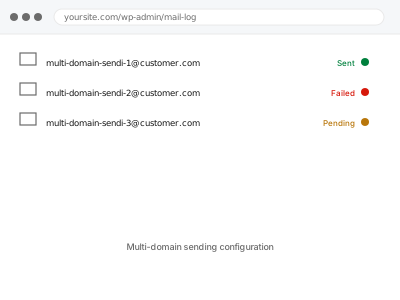
A single WordPress install sometimes needs to send email as more than one domain — a multisite network, a white-labelled agency setup, or a store operating under several brand names — and each sending domain needs its own authentication set up correctly, since SPF, DKIM, and DMARC are all specific to the exact domain they’re published on.
Each sending domain needs its own DNS work
Authentication doesn’t carry over between domains just because they’re sent from the same WordPress install or the same email service account — every domain you send as needs its own SPF, DKIM, and ideally DMARC records published at its own DNS, which means this scales with the number of domains involved, not the number of sites.
Multi-domain sending configuration
Every domain your site sends as, properly authenticated on its own DNS.
- Full backup taken before we start
- If we can’t fix it, you get your money back
- We never ask for your own password
What we need from you
- A list of every domain that needs to send email
- DNS access for each domain involved
- Confirmation of which email types send from which domain, if that varies
This or something else?
| You need multiple distinct domains each properly authenticated for sending | This fix covers it |
| You only have one sending domain | SMTP setup with SPF & DKIM records, the single-domain version of this |
| You want DMARC specifically added across multiple domains already authenticated | DMARC record setup & alignment, applied per domain |
| This is a WordPress multisite network sharing one sending domain | Simpler than this fix; standard single-domain setup applies |
| You’re not sure how many domains are actually involved | This fix covers it; we confirm that as the first step |
What we do
- Confirm every domain that needs to send, and which email types use which
- Set up authenticated sending for each domain individually
- Publish SPF and DKIM records for each domain’s own DNS
- Configure DMARC per domain, once each one’s SPF/DKIM is confirmed passing
- Test sending from each domain and confirm authentication passes
- Document which records live where, since multi-domain setups are easy to lose track of later
What is included
- Authenticated sending configured for each domain involved
- SPF, DKIM, and DMARC published correctly per domain
- Test sends confirmed passing authentication for every domain
- A written record of every domain’s configuration, in one place
Not included
- Purchasing or registering additional domains
- Ongoing management as new domains are added later, quoted per addition
- Resolving conflicts between domains hosted with different DNS providers beyond correct configuration
- Content or branding differences between what each domain sends
Questions about this fix
Do I need a separate email service account for each domain?
Not necessarily — many services support multiple authenticated domains under one account, though it depends on the service and its own plan limits.
What happens if I add a new domain later without this setup?
It would send unauthenticated by default, risking the same deliverability problems a single domain has without SPF and DKIM.
Can one domain be authenticated while another isn't yet?
Yes, they're independent of each other, so we can prioritise whichever domain is most urgent and complete the others afterward.
Is this more expensive because of the DNS work involved?
It's priced for the number of domains involved, since each one is genuinely separate work, not a single setup applied multiple times for free.
Will this conflict with domains that already have SPF set up for other purposes, like Google Workspace?
We check and merge with any existing SPF record rather than overwriting it, since a domain can only have one SPF record.
Related fixes
If this is the second time this year
A bad update breaking the site is a symptom of updates not being tested first. Care plans run every update on a staging clone before it reaches your live site, which is the actual fix for this happening again.
Your access, your rules
Create a separate admin account for us and delete it when we are done. For anything else, we get in touch and agree a method — never a form field on this site, never by reply to an email.
We back up first, always
Before anything is touched we take a full backup and keep it for 30 days. If a fix goes wrong, we put the site back exactly as it was.
If it is not what you bought
If the problem turns out smaller than what you ordered, we refund the difference. If it is bigger, we stop and send a quote before doing any extra work.
If we cannot fix it
You get back what we received. Diagnosis is on us — you only pay when the problem is actually solved. The payment processor takes its fee before the money reaches us, so we never hold it and it is not ours to return. That is true here as everywhere else.
If it comes back
Reply within seven days of delivery and we put it back on the bench at no cost. The fix is not finished until it holds.
What we are responsible for
If something goes wrong with a fix, our responsibility is limited to what you paid for it. We take a full backup first so mistakes can be undone, and we tell you before doing anything outside what you bought.