
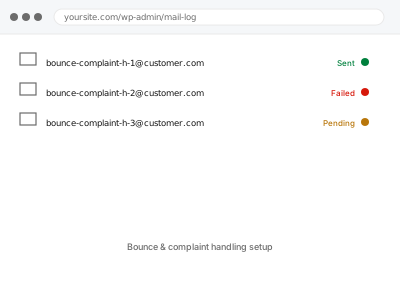
Every mail provider expects a sender to actually process bounces and spam complaints — removing addresses that consistently fail, respecting complaints — and a sending setup with no bounce handling at all eventually gets treated as careless at best, which providers penalise with worse deliverability for everything you send, not just the messages that bounced.
Why ignoring bounces eventually gets you blocked
Mail providers track how senders respond to bounces and complaints as part of judging trustworthiness — a sender that keeps mailing the same permanently-failing addresses looks the same to a filter as one buying bad lists, even if the real cause is just an old customer’s address going stale.
Setting up proper handling isn’t just tidiness, it’s what keeps your sending reputation intact.
Bounce & complaint handling setup
Bounce and complaint handling set up properly, so a stale address doesn't cost you sending reputation.
- Full backup taken before we start
- If we can’t fix it, you get your money back
- We never ask for your own password
What we need from you
- Which service handles your sending, or confirmation you need one set up first
- Where you want to be notified of complaints specifically, since those need faster attention than routine bounces
- Roughly how much mail volume you send, so handling is sized appropriately
This or something else?
| You want bounce and complaint handling set up properly for the first time | This fix covers it |
| You don’t have a sending service capable of this yet | Transactional email service integration, needed first |
| You’re already seeing deliverability problems you think bounces caused | Emails landing in spam – diagnostic & remediation |
| You want this for a newsletter specifically, not transactional mail | Related, and often the same underlying service |
| You manage multiple domains needing this | Multi-domain sending configuration, a related fix |
What we do
- Confirm your sending service’s built-in bounce and complaint handling capabilities
- Configure automatic suppression of hard-bounced addresses
- Set up complaint notifications to route to you promptly
- Confirm soft bounces are retried appropriately rather than treated as permanent failures
- Test the handling with a controlled bounce to confirm it behaves as expected
- Document how suppressed addresses can be reviewed or reinstated if needed
What is included
- Automatic bounce and complaint handling configured
- Suppression rules set up to protect sending reputation
- Complaint notifications routed to you
- A written explanation of how the system behaves going forward
Not included
- Cleaning an existing list of already-known bad addresses, a related but separate task
- The sending service’s own costs for bounce/complaint processing features
- Manually reviewing every suppressed address going forward
- Fixing an already-damaged sending reputation, which takes time regardless of setup
Questions about this fix
What's the difference between a hard bounce and a soft bounce?
A hard bounce means the address is permanently invalid and shouldn't be tried again; a soft bounce is usually temporary and worth retrying rather than removing.
Do I need to manually check bounces myself once this is set up?
No, that's the point — suppression happens automatically, though we make sure complaints specifically still reach you promptly.
Could this remove customers who just have a temporary email problem?
Properly configured, no — soft bounces are treated differently from hard ones specifically to avoid removing someone over a temporary issue.
What happens if someone complains about a legitimate email, by mistake?
It still counts against your reputation regardless of intent, which is why keeping complaint rates low matters — we make sure you're notified so you can look into why.
Will this slow down my regular sending?
No — bounce and complaint processing happens automatically at the sending service level, with no noticeable effect on how fast mail goes out.
Related fixes
If this is the second time this year
A bad update breaking the site is a symptom of updates not being tested first. Care plans run every update on a staging clone before it reaches your live site, which is the actual fix for this happening again.
Your access, your rules
Create a separate admin account for us and delete it when we are done. For anything else, we get in touch and agree a method — never a form field on this site, never by reply to an email.
We back up first, always
Before anything is touched we take a full backup and keep it for 30 days. If a fix goes wrong, we put the site back exactly as it was.
If it is not what you bought
If the problem turns out smaller than what you ordered, we refund the difference. If it is bigger, we stop and send a quote before doing any extra work.
If we cannot fix it
You get back what we received. Diagnosis is on us — you only pay when the problem is actually solved. The payment processor takes its fee before the money reaches us, so we never hold it and it is not ours to return. That is true here as everywhere else.
If it comes back
Reply within seven days of delivery and we put it back on the bench at no cost. The fix is not finished until it holds.
What we are responsible for
If something goes wrong with a fix, our responsibility is limited to what you paid for it. We take a full backup first so mistakes can be undone, and we tell you before doing anything outside what you bought.