
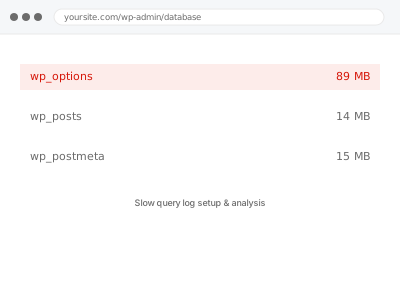
We enable your database’s slow query log and analyse what it reveals — which specific queries are taking longer than they should, and why — since a slow query log has to actually be turned on before it can capture anything, and most hosting environments don’t enable it by default.
Slow query log setup & analysis
Slow query logging enabled and analysed — only where your host actually allows it.
- Full backup taken before we start
- If we can’t fix it, you get your money back
- We never ask for your own password
What we need from you
- Database access sufficient to enable slow query logging
- Confirmation of your hosting environment, since enabling this varies by host
- Confirmation of the time period you’d like the resulting log analysed over
This or something else?
| You want slow query logging enabled and the resulting data analysed | This fix covers it |
| You already suspect a specific query is the cause of a performance issue | Meta query performance optimization, in the Integrations & Automation bucket, a more targeted fix if you already know the query |
| You want a broader server resource diagnostic, not specifically database queries | Server resource usage diagnostic report |
| Your host doesn’t allow enabling slow query logging at the database level | We’ll confirm this plainly — that’s a genuine hosting limitation, not something we can configure around |
What we do
- Confirm your hosting environment supports enabling slow query logging
- Enable the slow query log with an appropriate threshold
- Allow it to capture data over the agreed period
- Analyse the resulting log for the specific slow queries and their patterns
- Identify likely causes and prioritise by actual impact
- Compile findings into a written report with recommendations
What is included
- Slow query logging enabled where your hosting supports it
- A period of captured data analysed
- A written report identifying specific slow queries and likely causes
- Recommendations prioritised by impact, with a quote for fixes if wanted
Not included
- Fixing the identified slow queries — quoted separately based on findings
- Enabling this where your specific hosting plan doesn’t allow database-level logging access
- Ongoing slow query monitoring as a standing service
- Broader server resource diagnostics beyond database query performance specifically
Questions about this fix
What if my host doesn't allow me to enable slow query logging?
That's a genuine limitation on some hosting plans, particularly more restrictive shared hosting — we'd confirm this directly and, if it's the case, discuss whether a different diagnostic approach or a hosting change might be needed instead.
How long does the log need to run before it's useful to analyse?
This depends on your site's traffic and usage patterns — enough time to capture a representative sample of normal activity, which we'd calibrate based on your specific situation rather than a fixed universal period.
Will enabling this logging slow down my site further?
Slow query logging itself typically has a minimal performance impact, since it's just recording data about queries that are already running — it's not adding meaningful overhead on top of existing activity.
What happens after I know which queries are slow?
Fixing them — through optimisation, indexing, or a different query approach — is a separate, related fix, priced based on what's actually found and how involved the correction is.
Is this the same as the more general database performance fix in a different category?
Related — that fix addresses meta queries specifically and directly, once the slow query is already known; this fix is the diagnostic step of enabling logging and identifying which queries are actually slow in the first place, useful when you don't yet know.
Related fixes
If this is the second time this year
A bad update breaking the site is a symptom of updates not being tested first. Care plans run every update on a staging clone before it reaches your live site, which is the actual fix for this happening again.
Your access, your rules
Create a separate admin account for us and delete it when we are done. For anything else, we get in touch and agree a method — never a form field on this site, never by reply to an email.
We back up first, always
Before anything is touched we take a full backup and keep it for 30 days. If a fix goes wrong, we put the site back exactly as it was.
If it is not what you bought
If the problem turns out smaller than what you ordered, we refund the difference. If it is bigger, we stop and send a quote before doing any extra work.
If we cannot fix it
You get back what we received. Diagnosis is on us — you only pay when the problem is actually solved. The payment processor takes its fee before the money reaches us, so we never hold it and it is not ours to return. That is true here as everywhere else.
If it comes back
Reply within seven days of delivery and we put it back on the bench at no cost. The fix is not finished until it holds.
What we are responsible for
If something goes wrong with a fix, our responsibility is limited to what you paid for it. We take a full backup first so mistakes can be undone, and we tell you before doing anything outside what you bought.