Responsive breakpoint repair
A page looks right on desktop but breaks at specific screen widths — overlapping text, cut-off images, elements stacking wrong. We repair the breakpoint.
Visual and functional breakage almost always comes from two things stacked on top of each other: WordPress’s own templates, and whatever a theme or page builder — Elementor, Divi, Beaver Builder, Oxygen, Bricks, or one of several others — layered on top to produce the actual design.
Showing 81–96 of 104 fixes
A page looks right on desktop but breaks at specific screen widths — overlapping text, cut-off images, elements stacking wrong. We repair the breakpoint.
A retired theme's old settings and data often stay behind in your database long after you've switched away. We find and remove them cleanly.
Old reusable blocks and patterns, edited and abandoned over time, clutter your block inserter. We identify what's genuinely unused and clean it up.
Revisions piling up excessively, autosave conflicting with manual saves, or edits appearing to vanish. We isolate the cause and correct it.
Search and filter controls tested for actual function — do they apply, return correct results, and behave as expected — not just whether they render.
Your site search technically returns results, but rarely the ones a visitor would actually expect. We improve relevance and indexing, not just fix a fault.
Heavy plugins configured to load only on the specific pages that actually need them, instead of on every single page across your site.
Your site search returns no results even for content you know exists. We find whether it's exclusion settings, a plugin conflict, or database corruption, and fix…
A full crawl of your site's internal links and assets, catching broken links and missing files before a visitor stumbles onto one.
The WordPress admin area is noticeably slow, while the front end of your site loads fine. We isolate which plugin is responsible and correct it.
Your sticky header jumps, flickers, overlaps content, or stops sticking partway down the page. We isolate the scroll-behaviour conflict and fix it.
SVG uploads are blocked by default in WordPress for good reason. We enable them safely, with the specific protections that make it low-risk.
A tab, accordion, or slider on your site has stopped responding to clicks, or displays incorrectly. We isolate the script conflict and repair it.
Sample posts, pages, and images from your theme's original demo content are still sitting on your live site. We identify and remove them cleanly.
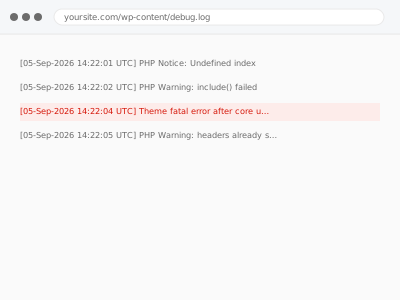
A fatal error appeared right after a WordPress core update, and the theme looks responsible. We confirm the compatibility issue and fix it so the site…
Your theme's licence has expired, or its update channel is broken, and it's no longer receiving updates. We restore it or resolve what's blocking it.
Visual and functional breakage almost always comes from two things stacked on top of each other: WordPress’s own templates, and whatever a theme or page builder — Elementor, Divi, Beaver Builder, Oxygen, Bricks, or one of several others — layered on top to produce the actual design. Each layer writes its own CSS, its own scripts, and sometimes its own database entries, and none of them reliably clean up after themselves. A theme update overwrites a template a builder depended on. A plugin gets deactivated but leaves its shortcode behind, rendering as visible text instead of the effect it used to produce. Two builders end up active on the same site after a redesign, each fighting the other for control of the same block.
What connects these fixes is that they require working out which layer actually produced the fault before touching anything — a broken menu could be the theme, a plugin, cached CSS, or a builder conflict, and each has a different fix. Working through it in the wrong order usually means undoing changes that didn’t help and re-breaking something that was fine. The fix is specific to the layer once it’s correctly identified, not a general clean-up.