Home / Fix a Problem / Something Looks Broken

Something Looks Broken

Visual and functional breakage almost always comes from two things stacked on top of each other: WordPress’s own templates, and whatever a theme or page builder — Elementor, Divi, Beaver Builder, Oxygen, Bricks, or one of several others — layered on top to produce the actual design.

$49
from
24h
fastest
MOST BOUGHT IN THIS CATEGORY

Showing 97–104 of 104 fixes

THM-008

Theme update breaking layout – repair

Your theme's layout changed or broke right after an update. We find whether customisations were lost or there's a genuine incompatibility, and fix it properly.

Standard Diagnose & fix
Needs: WP admin login, SFTP access, Staging environment
$109.32
Delivered in 48 hours
QAT-007

Third-party embed & iframe testing

Maps, video players, review widgets, payment iframes — every third-party embed tested to confirm it still actually works on your live pages.

Quick Report deliverable
Needs: WP admin login
$41.53
Delivered in 48 hours
THM-010

Unused builder asset unloading

Your page builder loads its full asset library on every page, even ones that don't use it. We scope loading to only where it's actually needed.

Standard Code & template
Needs: WP admin login, SFTP access
$109.32
Delivered in 48 hours
MED-003

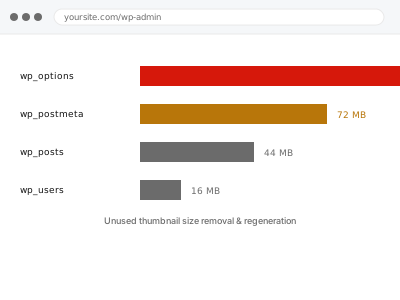
Unused thumbnail size removal & regeneration

WordPress generates thumbnail sizes your theme no longer uses, wasting storage on every image. We remove the unused sizes and regenerate cleanly.

Standard Dashboard / config
Needs: WP admin login, SFTP access
$109.32
Delivered in 48 hours
MED-011

Video embed failure – diagnosis & fix

An embedded video isn't playing, showing a broken player, or failing only for some visitors. We isolate the actual cause and fix it.

Quick Diagnose & fix
Needs: WP admin login
$41.53
Delivered in 48 hours
NAV-005

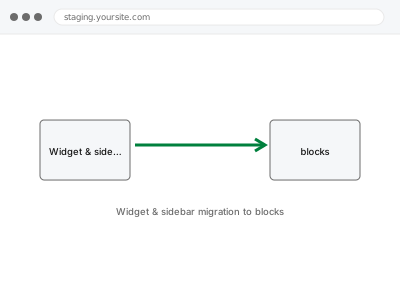
Widget & sidebar migration to blocks

Old-style widgets in your sidebar and footer, migrated into native blocks so they're editable the same way as the rest of your content.

Standard Code & template
Needs: WP admin login, Database access
$109.32
Delivered in 48 hours
PGB-009

WPBakery legacy shortcode cleanup

Pages are showing raw shortcode text like [vc_row] instead of the layout they should. We convert the content properly so it renders without WPBakery active.

Advanced Database operation
Needs: WP admin login, Database access, Staging environment
$219.49
Delivered in 72 hours
PGB-010

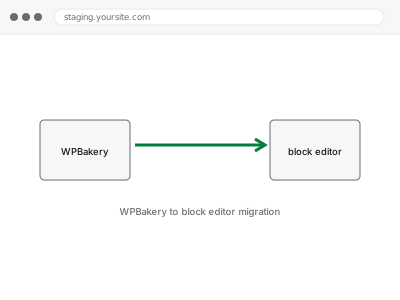
WPBakery to block editor migration

Move your WPBakery-built pages into native WordPress blocks, so your content isn't tied to a page builder plugin going forward.

Major Code & template
Needs: WP admin login, Database access, Staging environment
$439.83
Delivered in 5 business days

About these fixes

Visual and functional breakage almost always comes from two things stacked on top of each other: WordPress’s own templates, and whatever a theme or page builder — Elementor, Divi, Beaver Builder, Oxygen, Bricks, or one of several others — layered on top to produce the actual design. Each layer writes its own CSS, its own scripts, and sometimes its own database entries, and none of them reliably clean up after themselves. A theme update overwrites a template a builder depended on. A plugin gets deactivated but leaves its shortcode behind, rendering as visible text instead of the effect it used to produce. Two builders end up active on the same site after a redesign, each fighting the other for control of the same block.

What connects these fixes is that they require working out which layer actually produced the fault before touching anything — a broken menu could be the theme, a plugin, cached CSS, or a builder conflict, and each has a different fix. Working through it in the wrong order usually means undoing changes that didn’t help and re-breaking something that was fine. The fix is specific to the layer once it’s correctly identified, not a general clean-up.